In this guide
A transport owner, a workshop manager and a factory supervisor run very different businesses, but their weeks break in the same places. A job is promised on a phone call, the record lives in a notebook or a spreadsheet, and the money is chased weeks later because nobody can show what was done. This guide maps seventeen Zenocta demo apps to the jobs that software for workshops, fleets and factories in India has to do, so you can decide what to buy, what to build and what to leave on paper.
What jobs does software need to do in an operations business?
Strip away the trade names and almost every workshop, fleet, yard and factory needs the same seven jobs done. Where the software is weak, the owner ends up doing the job by phone.
- Take the work in: an order, enquiry, challan, booking or trip, recorded once with the customer and the date.
- Schedule it: who does it, on which machine, bay, vehicle or day, without clashes.
- Track the material: stock in, stock used and stock lost, so shortages show before a job stalls.
- Record the proof: weights, inspection results, signatures and delivery confirmations, captured at the time.
- Bill from the record: the invoice follows from the work done, not from memory.
- Chase money and paperwork: dues, deposits, credit limits and document expiry dates.
- Keep the customer informed: reminders, status updates and approvals.
What differs is the unit of work. A transporter counts trips, a garage counts job cards, a factory counts work orders, a job-work shop counts challans and a warehouse counts receipts. Choose software by asking whether it is built around your unit of work, because everything else hangs off it. If you want the factory side in more depth, our post on production, inventory and QC software for manufacturers is a good companion.
Spreadsheet, packaged app or custom build: how to decide
Most owners compare software on price. A better comparison is how many hand-offs the tool removes before it starts costing you more than it saves.
| Approach | Works well when | Starts to break when | Watch out for |
|---|---|---|---|
| Paper register and WhatsApp | One person does everything and remembers it | A second person needs the same information | Nothing is searchable and nothing is auditable |
| Spreadsheet | One simple list, one owner of the file | Several people edit, or one sheet needs another | Silent formula errors and many versions of the file |
| Packaged app for your trade | Your process is the common one | You have one unusual step the app cannot model | Paying for modules you never open |
| Custom build | Your workflow is the competitive advantage | You cannot describe the workflow yet | Scope creep without a fixed scope |
Tip
Write down the one step in your business that no standard tool seems to handle: returnable challans, a rate chart that depends on two readings, a weighbridge slip, a quote comparison on landed cost. That step is usually the reason to build rather than buy. Our post on why MSMEs invest in custom software covers the reasoning.
Transport, delivery, warehouses and rentals
These four businesses move goods or assets between places and live or die on records that match what physically happened.
FleetOcta: fleets and freight
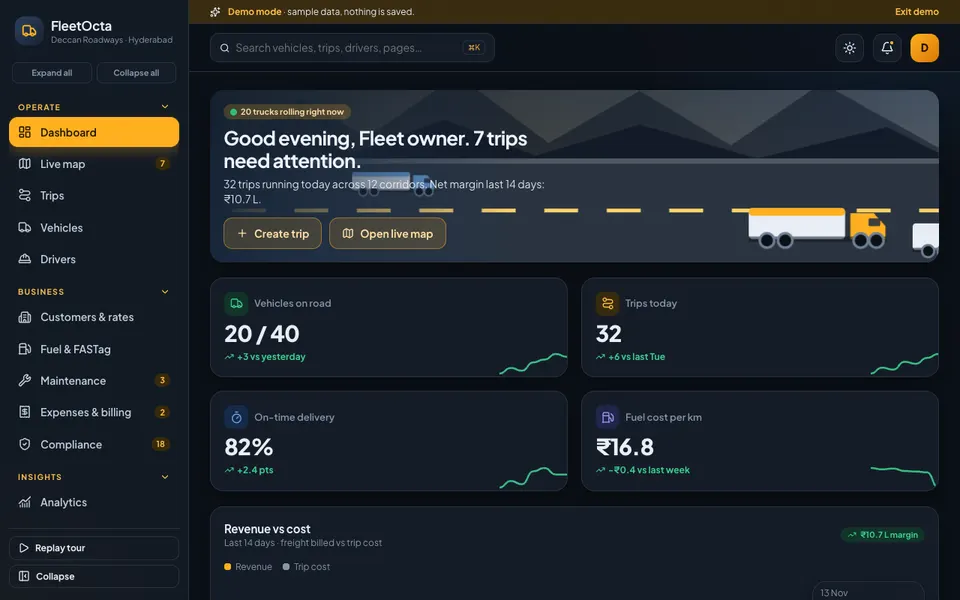
For transport companies running trucks. The demo has a drag-and-drop trip board with a trip P&L, vehicle and driver records with licences and documents, fuel and FASTag logging with anomaly flags, a compliance expiry tracker and GST invoices with driver settlements. It solves one thing best: getting the trip record right, so fuel, billing and settlements follow from it. Read the fleet management guide or open the FleetOcta demo.
CourierOcta: courier and last-mile franchises
Built around a franchise counter. It has booking with a rate by zone, AWB labels, pickup runs drawn on a city map, hub manifests with destination bags, delivery with OTP or signature proof, a lane board for non-delivery cases and COD reconciliation. Its strongest idea is matching the cash each agent holds, parcel by parcel, against what the system says was collected. See the COD reconciliation guide or the CourierOcta demo.
WareOcta: warehouses and 3PL
For small warehouses and third-party logistics firms. It covers receiving with discrepancy notes, bin locations, a rack heat map, pick waves, pack and ship with scan verification, cycle counts with an approval step and per-client billing. Its best lesson is that stock accuracy starts at the dock. Read the warehouse software guide or try the WareOcta demo.
RentOcta: equipment and vehicle rental
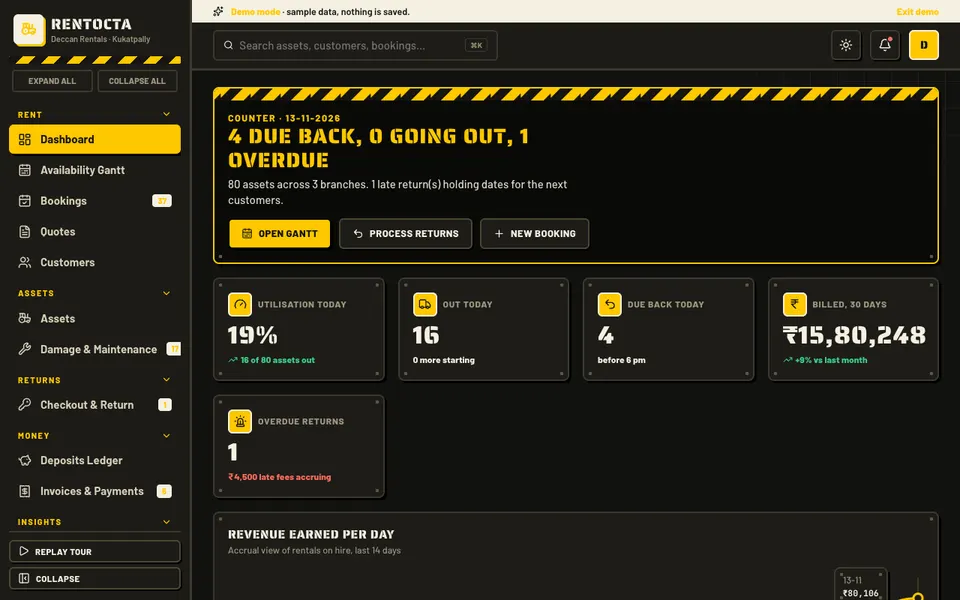
For businesses renting out JCBs, generators, cameras or vehicles. It has an availability Gantt where you drag to create or move a booking, bookings and quotes, checkout and return records, a deposits ledger, damage tickets and invoices. It solves double bookings by blocking clashing dates. See the rental bookings and deposits guide or the RentOcta demo.
Workshops, field teams and installers
Here the work happens at a bay, a customer site or a building, so the scheduling, parts and customer approval matter most.
FieldOcta: service technicians
For AC, appliance, plumbing, electrical and solar service teams. The demo has a dispatch board with technician lanes against the time of day, job cards with a checklist, parts and a signature pad, quotes that convert to jobs, and AMC contracts with a visit calendar. It is best at dispatch, balancing skill, location, time window and parts. Read the dispatch guide or open the FieldOcta demo.
GarageOcta: car and bike workshops
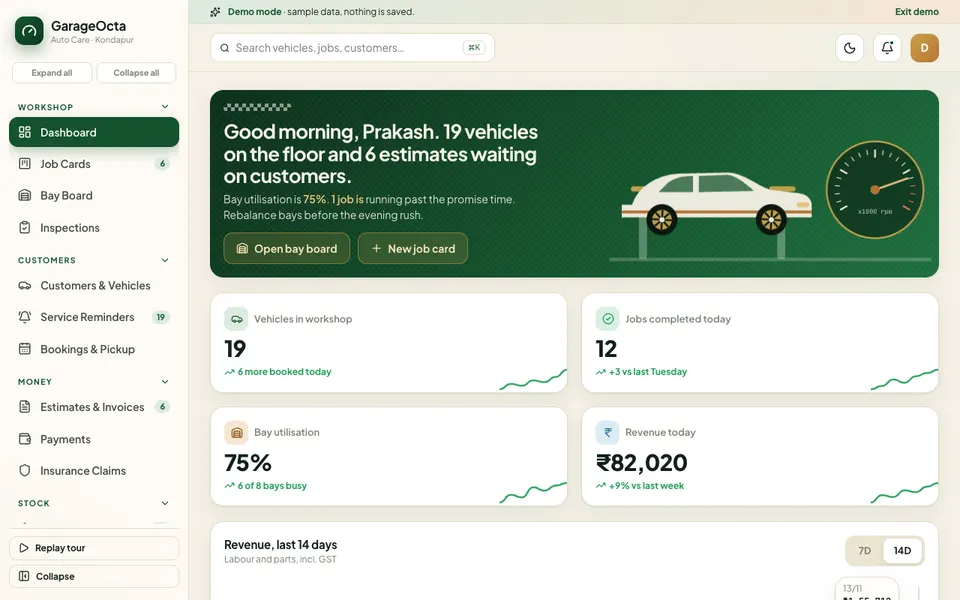
For workshops handling repair jobs. It includes a seven-stage job card board, a bay floor plan with timers, digital inspections with a customer approval link, estimates and invoices, parts and service reminders. Its best idea is recording approval before the work starts. See the garage software guide or the GarageOcta demo.
SolarOcta: rooftop solar installers
Follows a sale from enquiry to maintenance: a leads board, site survey, a roof layout where you place panels, a bill of materials, quotes with payback, subsidy tracking, installation stages and AMC tickets. Subsidy figures are illustrative, so check the current rules. It tackles the hand-offs between each step. Read the lead to AMC guide or try the SolarOcta demo.
BuildOcta: construction firms
For contractors running sites. It has a Gantt where a drag cascades through linked tasks, BOQ and estimates, a materials requisition board, labour attendance and wages, and subcontractor RA bills. Its best feature is showing the true new finish date when one task slips. See the construction software guide or the BuildOcta demo.
FacilityOcta: housekeeping and security agencies
For multi-site service contracts. It has a site-by-day roster you can drag staff across, checklists and inspection scorecards for each site, incidents with closure timers, billing with SLA penalties and a client portal preview. It is best at producing recorded evidence against a service level. Read the facility management guide or open the FacilityOcta demo.
Factories, yards and processing units
These businesses transform or grade material, so weights, counts and rates have to be captured exactly. Our post on automation ideas for manufacturers shows where to begin on the shop floor.
FactoryOcta: small manufacturers
Set in a sample parts plant. It has a grid of 14 machines with availability, performance and quality rings, a work order board, a planning Gantt, BOM and materials, quality with SPC charts and maintenance with MTBF and MTTR. It explains OEE best: a plant can run all day and still score low. Read the OEE guide or try the FactoryOcta demo.
JobWorkOcta: job-work shops
For CNC, turning, press and fabrication shops working on customers' material. It has inward and outward challans, job flow lanes with returnable-challan ageing, quality and rejection records, a party ledger and per-operation billing. It treats the inward challan as the first and most important record. See the challan tracking guide or the JobWorkOcta demo.
PrintOcta: print and signage shops
For digital, offset, flex and vinyl shops. It has an estimator built from material, machine time, wastage and margin, a job queue with one lane per press, proof approval, material stock, outsourcing and billing. It is best at keeping every quote in the same shape. Read the print shop software guide or open the PrintOcta demo.
ScrapOcta: kabadi and scrap yards
For buying scrap by weight. It has a live rate board with a spread column, a weighbridge that captures gross and tare and works out net, yard bays drawn in proportion to stock, pickup runs and EPR and compliance tabs. Its lesson is to let software calculate net weight so it can be audited. See the weighbridge and rate board guide or the ScrapOcta demo.
DairyOcta: dairy cooperatives
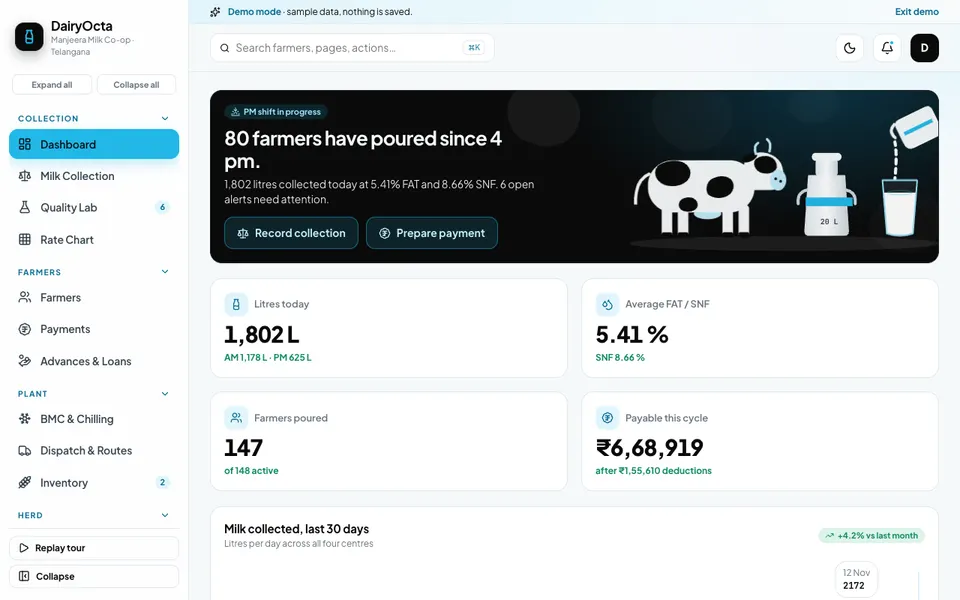
For milk collection and payments. It has a weighing console, an editable FAT by SNF rate chart shown as a heat map, farmer passbooks with advances and loans, chilling tank views and dispatch routes. It shows how one rate-chart change flows into every farmer payment. Read the FAT and SNF pricing guide or try the DairyOcta demo.
Counters and buying desks
Three more businesses sit at a counter or a desk, where the risk is a wrong reading or an unverified purchase.
LaundryOcta: laundry and dry-clean
For stores taking garments over a counter. It has orders with generated tag numbers, an eight-stage garment journey, rider runs with OTP handover, a price list, subscriptions and billing. Its strongest point is tagging every piece rather than every bag. See the garment tracking guide or the LaundryOcta demo.
PumpOcta: petrol and CNG dealers
For fuel outlets. It shows tank gauges and nozzle meters with a shift variance dial, dip entry and stock reconciliation, shift close, fleet credit with limits, daily accounts and compliance records, with four roles to switch between. It rests on two readings agreeing: what the meters sold and what the tanks lost. Read the shift reconciliation guide or open the PumpOcta demo.
ProcureOcta: purchase teams
For companies buying from many vendors. It covers requisitions, RFQ, a quote comparison with landed cost and weighted scoring, purchase orders, goods receipt, a three-way match against the invoice and vendor scorecards. It is best at comparing quotes on landed cost rather than unit price. See the three-way match guide or the ProcureOcta demo.
Which demo does what? A quick comparison
This table shows each demo's signature view and where it handles money, material and records, taken from what the demos contain. A blank cell means we did not list it.
| Demo | Signature view | Billing or money | Stock or material | Records and checks |
|---|---|---|---|---|
| FleetOcta | Trip board, live map | GST invoices, settlements | Tyres and parts | Document expiry, e-way bills |
| CourierOcta | Pickup runs on map | COD remittance | Proof of delivery, claims | |
| WareOcta | Rack heat map | Per-client billing | Bins, batch and expiry | Cycle count approval |
| RentOcta | Availability Gantt | Invoices, deposits | Checkout and return, damage | |
| FieldOcta | Dispatch lanes | Quotes, invoices | Parts inventory | AMC contracts |
| GarageOcta | Bay board | Estimates, invoices | Parts, suppliers | Digital inspections |
| SolarOcta | Roof layout | Quotes, subsidy claims | Panels, inverters | Site survey, AMC |
| BuildOcta | Gantt with cascade | RA bills | Materials, requisitions | Safety and quality |
| FacilityOcta | Site scorecards | SLA penalties | Consumables | Inspections, incidents |
| FactoryOcta | Machine grid | BOM, inventory | SPC, maintenance | |
| JobWorkOcta | Job flow lanes | Per-operation billing | Stock by party | Challans, rejections |
| PrintOcta | Queue by press | GST invoices | Material stock | Proof approval |
| ScrapOcta | Yard bays | Accounts | Stock, shrinkage | EPR and compliance |
| DairyOcta | FAT by SNF heat map | Farmer payments | Feed on credit | Quality lab |
| LaundryOcta | Garment journey | Billing, subscriptions | Consumables | Care and issues |
| PumpOcta | Variance dial | Fleet credit, accounts | Tank stock, dips | Calibration records |
| ProcureOcta | Quote comparison | Three-way match | Goods receipt | Vendor scorecards |
How to try the demos in 15 minutes
Every demo runs in the browser on desktop, tablet and phone layouts. Each uses a sample company with sample data: nothing you enter is saved, everything resets when you refresh, and the AI-style tools in each Studio tab are simulated and scripted, not real models. That makes them safe to click through freely.
- Pick the two demos closest to your trade from the clusters above and open each one.
- On the login screen, choose Try Demo Account.
- Walk the same flow you run every day: take an order in, schedule it, use material, record proof, raise the bill.
- Write down every point where your real process differs from the demo: an extra step, a different form or a document you must print.
- Open the simulated tools and note which suggestions would actually help you and which you would never use.
- Bring the list of gaps to a builder. That list is the start of a scope.
Mistakes to avoid when buying operations software, and what to ask a builder
The expensive mistakes are rarely about technology. They come from buying before the workflow is written down, or from trusting a demo that cannot be challenged. Ask any builder, including us:
- Which record is the unit of work, and can I see it end to end on one screen?
- Who can edit which record, and is there a history of changes?
- How do I get my existing data in, and my data out if I leave?
- What happens to the invoice if a quantity or rate changes after dispatch?
- Which parts work on a phone for staff who are on a site, a yard or a counter?
- Is the scope fixed in writing, and what is outside it?
- Who supports it after launch, and how are changes quoted?
- What will hosting and domain cost separately from the build?
Other common mistakes: buying a long feature list instead of fixing the one step that costs you money, loading years of messy history before the first week works, and letting every staff member design their own screen. For a wider view of keeping costs down, see how MSMEs can reduce costs through digital transformation.
Getting a version built around your own workflow
None of these seventeen demos is a product on a shelf. They show what a scoped build for your trade could look like, and each can be reshaped around your forms, your rates, your approvals and your reports. To compare them side by side, start from the demo apps hub. If you already run a mobile app or want one alongside it, see Zenocta's production apps on Google Play. When you are ready to talk, tell us about your workflow and we will respond with a scoped, fixed-price proposal, with hosting and domain billed separately.
Try it live
Open the real thing: demos run in a new tab with sample data, apps link to their own page.
 Live demoFleetOcta live demoTrip board, vehicle and driver records, fuel logging, compliance expiry tracker and GST invoices for a sample transport company.
 Live demoGarageOcta live demoJob card board, bay floor plan, digital inspections and estimates for a sample workshop.
 Live demoFactoryOcta live demoMachine grid with OEE rings, work orders, planning Gantt, quality and maintenance for a sample plant.
- ABrowse allAll demo appsBrowse every interactive demo, grouped by industry.
- ZBrowse allZenocta appsProduction apps live on Google Play.
- TBrowse allTalk about a custom buildDescribe your workflow and get a scoped, fixed-price proposal.
Frequently asked questions
01What software does a small workshop or fleet business in India actually need?
Start with whichever record is your unit of work: the job card for a workshop, the trip for a fleet. Add scheduling, parts or material tracking, billing from the record and customer updates. Anything beyond that is optional until the first four work reliably.
02Should I use a spreadsheet, a packaged app or a custom build?
A spreadsheet suits one simple list with one owner. A packaged app suits a common process. A custom build makes sense when one step in your workflow, such as returnable challans or a rate chart, is what sets you apart and no standard tool models it.
03Are the Zenocta operations demos real products I can subscribe to?
No. They are interactive demos with a sample company. Nothing you enter is saved, data resets on refresh, and the AI-style tools are simulated. They show what a custom build for your trade could contain, and each can be reshaped around your workflow.
04How do I test whether software fits my business before paying?
Open two or three demos, choose Try Demo Account, and walk the flow you run every day from order to invoice. Note each step where the demo differs from your reality. Then ask a builder how each gap would be handled in writing.
05What does a custom operations app cost and how is it priced?
Price depends on scope, so we do not quote a single figure for industry software. After you describe your workflow, Zenocta sends a scoped, fixed-price proposal that lists what is included. Hosting and domain are billed separately from the build.