In this guide
A truck leaves the yard at night, the driver calls the owner from a dhaba at 2 am, and by morning nobody can say whether the trip made money. Diesel slips are in the cab, the lorry receipt is in a file, the customer's payment is in someone's memory. This guide explains what fleet management software for transport companies in India should track, how to roll it out, and what to ask before you buy.
Where does a transport business lose money without software?
Most small and mid-size fleets run on the same four tools: a WhatsApp group for dispatch, phone calls for status, paper for lorry receipts and fuel slips, and one Excel sheet that the accountant updates at month end. Each tool works on its own. The losses happen in the gaps between them.
- Empty return runs. The truck reaches the destination, and the next load is arranged only after the driver calls. Days of idle time never show up in any report.
- Fuel you cannot reconcile. Slips pile up in the cab, the tank reading is never compared with the kilometres driven, and a small leak looks like normal consumption.
- Documents that expire quietly. Insurance, fitness, permit and driver licence dates sit in different heads. One missed date can mean a fine or a vehicle off the road during a busy week.
- Late billing. The proof of delivery comes back days after the trip, so the invoice goes out late and the payment arrives later still.
- No trip-level profit. The owner knows the month's total, but not which customer or which route actually earns.
Software does not drive the truck. What it does is put every trip, vehicle, driver and rupee in one place, so these gaps become visible while you can still act on them.
What is a trip sheet, and why does everything hang off it?
A trip is the unit of work in transport. It has a vehicle, a driver, a customer, a route, a freight amount and a list of costs. Everything else in the business, from fuel to invoices to driver settlements, is either an input to a trip or an output of one. If your software gets the trip right, the rest follows.
A good trip record carries the lorry receipt (LR), which is the consignment note that goes with the goods, and the e-way bill details where they apply to your cargo (check the current rules for your goods and distance). It also keeps a timeline of what happened: planned, dispatched, loaded, in transit, delivered, proof of delivery received, billed, paid.
A worked trip with made-up numbers
Here is the kind of trip-level profit line that a spreadsheet rarely produces on its own. These figures are invented for illustration only.
| Line | Amount (₹) | Note |
|---|---|---|
| Freight billed to the customer | 42,000 | One-way, about 600 km |
| Diesel | 15,500 | From fuel log, not an estimate |
| Tolls and FASTag | 3,200 | Matched to the trip dates |
| Driver allowance | 2,400 | Advance minus settlement |
| Loading and unloading | 800 | Cash expense with a receipt |
| Maintenance and tyre allocation | 1,500 | Per-km share of upkeep |
| Trip profit | 18,600 | Before overheads and loan interest |
The point is not the number. The point is that each line comes from a record someone made at the time, so you can compare this trip against the last ten on the same route.
How do you track fuel and FASTag without chasing slips?
Fuel is usually the largest running cost, and it is the easiest place to lose money without noticing. The check is simple: for each fill, compare the litres bought with the kilometres driven since the last fill. That gives you kilometres per litre for that vehicle on that run.
Once you have a few weeks of data, you know what normal looks like for each truck, loaded and empty. A reading far below normal deserves a question. It might be a worn tyre, a blocked filter, a driver who idles the engine, or fuel that never reached the engine. A system that plots tank level against GPS distance makes that last case easier to spot, because the two lines should move together.
FASTag and toll entries work the same way. When toll charges are matched to trip dates, you stop paying for a driver's detour or a double-counted entry, and the trip P&L stops being a guess.
Why do compliance dates deserve their own screen?
A vehicle has documents with expiry dates: insurance, fitness certificate, permit, pollution certificate and road tax, depending on the vehicle and the state. A driver has a licence with a date too. The rules and renewal periods differ by vehicle type and state, so always check the current requirements with your RTO or advisor.
What software adds is a single expiry tracker sorted by date, with reminders weeks in advance. Instead of finding out at a checkpost, you see a list that says which vehicles need attention this month. The same screen can hold e-way bill status, so dispatch does not release a truck without the paperwork its load needs.
Spreadsheet, paper or purpose-built software?
| Question | Paper and phone calls | Spreadsheet | Purpose-built fleet software |
|---|---|---|---|
| Where is the truck now? | Phone the driver | Last note someone typed | Map with vehicle positions and trip status |
| Did this trip make money? | Not known until month end | If someone builds the formula and keeps it updated | Trip P&L from logged fuel, tolls and expenses |
| Which documents expire soon? | Memory and a diary | A column you must remember to sort | Expiry tracker with reminders |
| Driver advances and settlement | Notebook | Separate sheet per driver | Advances approved in the system, settled per trip |
| Billing and payments | Hand-written bills | Invoice template and manual tracking | Invoices raised from the trip, payments matched |
| Works for 5 trucks | Yes | Yes | Often more than you need |
| Works for 50 trucks | No | Slowly breaks down | Yes, this is what it is for |
A spreadsheet is a fair choice for a very small fleet. The crossover usually comes when more than one person edits the numbers, or when the owner stops trusting last week's sheet.
How do you roll out fleet software without disrupting dispatch?
Move one workflow at a time. A fleet cannot pause for a week while everyone learns a new system, so keep the old way running beside the new one until the new one has earned trust.
- List vehicles and drivers first. Registration, type, capacity and document dates for each vehicle; licence details for each driver. This is the foundation.
- Add customers and rate cards. Rates per route or per tonne, so quotes and invoices come from one source.
- Run trips through the system. Create, dispatch and close every trip, even while paper LRs continue.
- Log fuel and expenses against trips. This is where trip profit starts to appear.
- Turn on expiry reminders. The first month often finds a document nobody knew was due.
- Move billing last. Once trips are clean, invoices are a by-product, and payments can be tracked per customer.
Tip
Start with the person who feels the pain most. In many fleets that is the owner's spouse or the accountant, who rebuilds the month from slips. If they like the new flow, adoption in the yard follows.
What should you ask any fleet software vendor?
- Can I see a trip from creation to payment, including the proof of delivery and the trip P&L?
- Does it work on a phone for drivers and dispatchers, or only on a desktop?
- How are vehicle positions collected: from a GPS device, from the driver's phone, or entered by hand?
- Can I export my data (trips, expenses, invoices) to a spreadsheet at any time?
- Who owns the data if I stop using the service, and how do I get it out?
- What does it cost per vehicle, per user or as a one-time build, and what is not included, such as hosting?
- How are GST invoices handled, and who keeps the tax logic current when rules change?
Which mistakes sink fleet software projects?
- Buying features instead of fixing one habit. If drivers will not log fuel, no dashboard will save you. Pick the habit first.
- Skipping data cleanup. Duplicate vehicle names and half-filled driver records make every report unreliable from day one.
- Trusting a map that is only a picture. Ask where the positions come from before you plan dispatch around them.
- Ignoring the driver's experience. A form that takes five minutes at a toll plaza will be skipped.
- Treating AI features as magic. Load matching or fuel-theft detection is only as good as the data fed to it.
What the FleetOcta demo shows
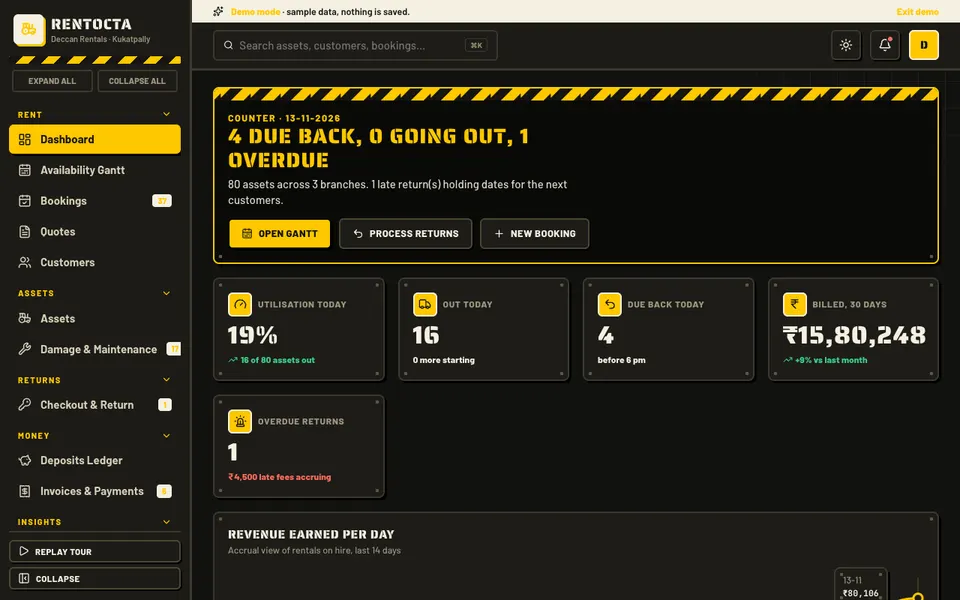
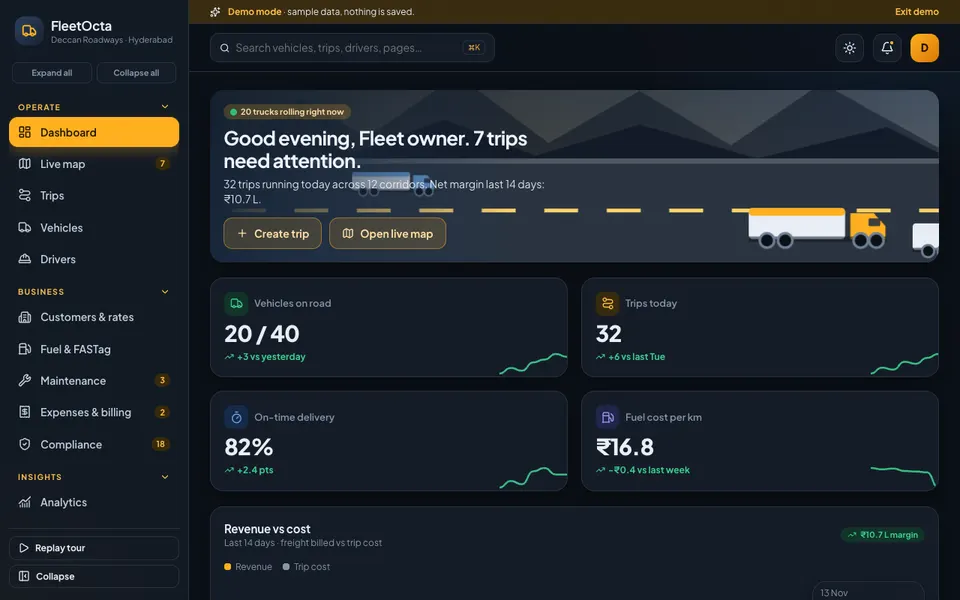
FleetOcta is an interactive Zenocta demo of fleet, transport and freight management for Indian logistics operators. It uses a sample company, with invented registrations, e-way bills and GST numbers. Nothing you do is saved, the data resets when you refresh, and the AI tools are scripted simulations, not real models. It is a way to see the shape of a system, not a product with customers.
The demo's pages map directly to the problems above:
- Dashboard and Live map. A stylised India map with moving vehicles and a side card, so you can see how fleet status could look at a glance. The map outline and positions are simulated.
- Trips. A drag-and-drop board, a create-and-dispatch flow, and a trip drawer with a timeline, LR and e-way bill preview and a trip P&L.
- Vehicles and Drivers. Vehicle profiles with documents, service and mileage; driver scorecards, licences, advance approvals and attendance.
- Customers and rates. A rate card and a quote builder.
- Fuel and FASTag. Fuel logging, efficiency and anomaly flags.
- Maintenance and Compliance. A service calendar, jobs, tyres and parts, plus an expiry tracker and e-way bills.
- Expenses and billing. GST invoices, payments, expenses, trip P&L and driver settlements.
- Route Studio. Seven simulated AI tools: load optimiser, predictive maintenance, fuel anomaly detector, driver coaching, ETA predictor, backhaul finder, and POD or invoice OCR.
The demo also fires a simulated live event, such as an alert or a trip update, about every 25 seconds, so you can see how a control room might feel.
How to try the FleetOcta demo in five minutes
- Open fleetocta.zenocta.com on a desktop, tablet or phone.
- On the login screen, choose Try Demo Account. Any sign-in works, and a short spotlight tour starts.
- Open Trips, drag a planned trip to dispatched, then open its drawer to see the timeline and the P&L.
- Go to Fuel and FASTag and look at the anomaly flags, then open Route Studio and try the backhaul finder.
- Press Cmd or Ctrl plus K for the command palette. Then refresh the page: everything resets, by design.
Browse the other sample companies on the demo apps page to see how the same pattern looks for other industries.
Getting a fleet system like this built for your company
A demo shows a pattern. Your fleet has its own routes, customers, document types and billing habits, and those are what decide whether software gets used. Zenocta builds custom business software for operators like you. We start from a short call about how your trips run today, then send a scoped, fixed-price proposal so you know the cost before work begins. If that is useful, talk to us about a custom build. Zenocta also publishes production apps on Google Play if you want to see our finished work.
For related reading, see how project expense tracking handles shared costs, and how online car servicing looks from the customer's side. Our guide to production management software covers the same idea of following work from order to delivery.
Try it live
Open the real thing: demos run in a new tab with sample data, apps link to their own page.
 Live demoFleetOcta live demoOpen a sample fleet: trips board, live map, fuel anomalies, compliance tracker and seven simulated AI tools.
- ABrowse allAll demo appsBrowse every interactive demo, each with a sample company and nothing saved.
- ZBrowse allZenocta appsProduction apps live on Google Play.
- TBrowse allTalk about a custom buildTell us how your business runs and get a scoped, fixed-price proposal.
Frequently asked questions
01What does fleet management software do for a transport company?
It keeps vehicles, drivers, customers, trips, fuel, maintenance, compliance dates and invoices in one system. The main gain is trip-level visibility: you can see what each run earned and spent, which documents expire soon, and which trucks use more fuel than normal.
02Is a spreadsheet enough to manage a small fleet?
For a handful of trucks and one person editing, often yes. It starts to fail when several people update it, when you need live trip status, or when you stop trusting last week's numbers. That is the usual point to move to purpose-built software.
03How does fleet software help reduce fuel loss?
By logging every fill against a vehicle and trip, it calculates kilometres per litre for each run. Once you know what is normal for a truck, readings far below normal stand out. Charts comparing tank level with distance can make suspicious drops easier to spot.
04Can I try fleet software before I commit to a build?
Yes. The FleetOcta demo is an interactive sample company you can open in your browser. It uses invented data, saves nothing and resets on refresh, and its AI tools are simulated. It shows the shape of a system you could have built.
05How much does a custom fleet system cost?
It depends on the modules, the number of users and any integrations, so there is no single price. Zenocta starts with a short conversation about how your trips run, then sends a scoped, fixed-price proposal so you know the cost before work begins.