In this guide
If you run a restaurant, a tiffin kitchen, a small hotel, a salon, a hostel, an events company or a travel agency, your product is a promise made in advance: a table, a bed, a time slot, a menu, a date. The business loses money when that promise lives in a diary, a WhatsApp thread or someone's memory, and two people promise the same thing. This guide maps eight Zenocta demo apps to the jobs that software for restaurants, hotels, salons and travel businesses has to do, so you can see what each one covers and decide what your business needs first.
What jobs does software need to do in hospitality and travel?
The trades look different, but the work underneath repeats. A restaurant, a hotel and a salon are all selling a limited resource (a seat, a room, a stylist's hour) that cannot be sold twice and cannot be stored.
- Take the booking or order: record who, what and when, once, in a place everyone can see.
- Protect the calendar: block overlaps, show gaps and handle walk-ins without breaking a confirmed booking.
- Run the day: kitchen tickets, room status, route sheets, run-of-show or a stylist's column.
- Track what is consumed: ingredients, linen, consumables, products and supplier costs.
- Take payment and bill correctly: advances, deposits, wallet balances, split payments and invoices.
- Remind and re-engage: reminders, waitlists, renewals, loyalty and follow-ups.
- Close the day: cash count, dues, commissions and a profit view you can trust.
Where the money leaks: a worked example with made-up numbers
Take an illustrative salon with 30 bookable slots a day, an average bill of ₹600 per slot and 26 working days a month. Suppose three slots a day end up empty because of late cancellations that nobody could refill. That is 3 x ₹600 = ₹1,800 a day, or ₹1,800 x 26 = ₹46,800 a month. These numbers are invented to show the arithmetic, not a benchmark, but the pattern is real in every trade here: the leak is in the gap between a promise and the day it is kept. A waitlist, a reminder and a visible calendar are not extras. They are the control that closes that gap.
Tip
Before you shop for software, put a rupee figure on your own gap: empty slots, unsold room nights, skipped meals that were already cooked or no-show deposits you never collected. That number tells you how much a fix is worth. Our post on building an MVP without wasting your budget shows how to start small once you know it.
Spreadsheet, packaged app or custom build: how to decide
| Approach | Works well when | Starts to break when | Watch out for |
|---|---|---|---|
| Paper diary and WhatsApp | One owner takes every booking | Two staff take bookings, or you are away | Double bookings and lost messages |
| Spreadsheet | A small, steady list of rooms or customers | You need reminders, payments or live status | Nobody sees the same version at the same time |
| Packaged app for your trade | Your process is the usual one | You sell something unusual, like group departures or tiffin skips with a cutoff | Paying for features you will not use |
| Custom build | Your service rules are your edge | You cannot yet describe those rules | Vague scope and no fixed price |
Rule of thumb: if the standard flow fits you, start with something simple. If your edge is a rule such as a skip cutoff, a seat meter or a rate that changes by season, that rule is worth building around. The post on why MSMEs invest in custom software explains when that pays off.
Food service: restaurants and tiffin kitchens
Both businesses turn orders into meals on a deadline, so the hand-off between the order and the kitchen is where the value is. Our guide to an online food ordering system for restaurants covers the ordering side in more depth.
RestaOcta: restaurants
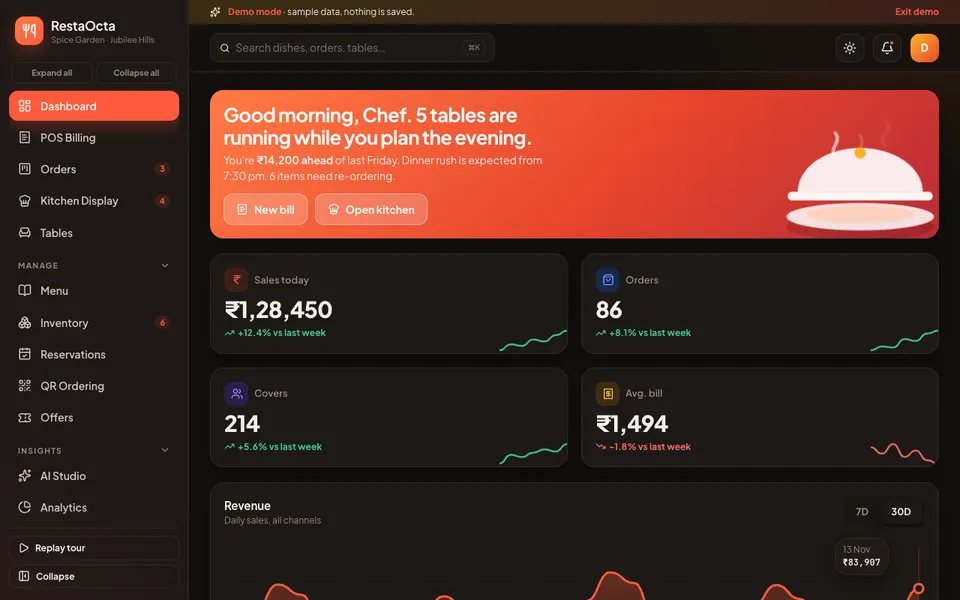
For restaurant owners. It combines a billing screen with UPI, cash, card and split payment, a drag-and-drop order board with kitchen display timers, tables, menu and reservations, and inventory with recipe costing. A phone preview shows what a guest sees when ordering by QR. It is best at shortening and recording the hand-offs between table, kitchen and counter. Shift close with a cash count and four analytics tabs sit behind it. Read the restaurant POS guide or open the RestaOcta demo.
TiffinOcta: tiffin services and cloud kitchens
Built around a fictional Hyderabad kitchen. It has a weekly menu planner where you drag dishes into slots, a prep sheet with aggregated counts and ingredients, delivery routes and riders with OTP verification, a subscriber drawer with a skip calendar and wallet, and plans and pricing. Its best idea is cooking from the confirmed subscriber list, not just the menu, so skipped meals are not prepared. See the tiffin service guide or the TiffinOcta demo.
Stays and travel: hotels, hostels, events and tours
These businesses sell dates against limited inventory, so the calendar is the product. Many also take a deposit now and settle later, which makes the money trail part of the job.
StayOcta: hotels and homestays
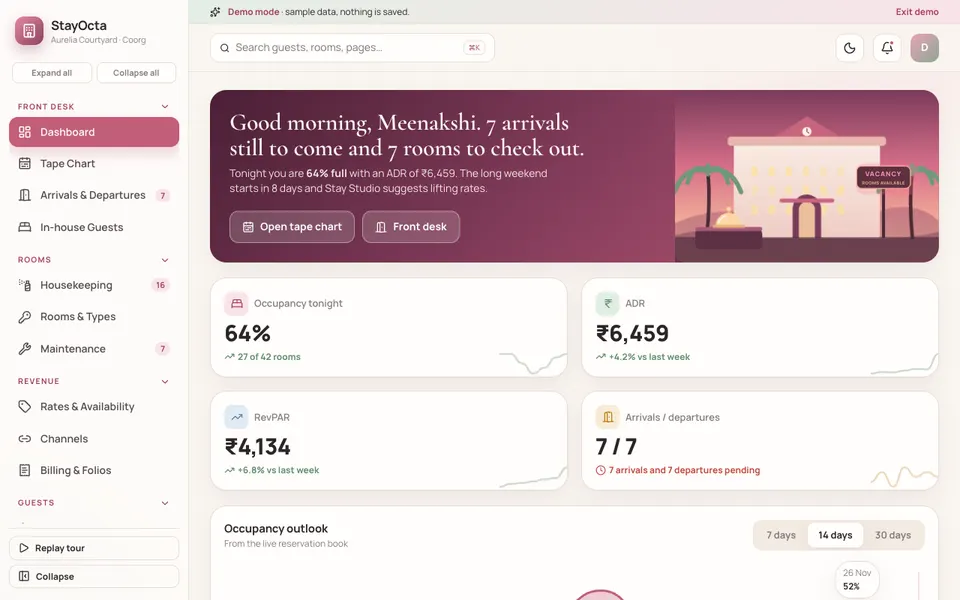
For independent hotels, resorts and homestays, set around a sample property with 42 rooms. It has a tape chart where you drag a booking to another room or date with a conflict check, arrivals and departures, housekeeping tiles you drag between statuses, rates and availability, billing and folios and a night audit. Channel sync is simulated. It solves one thing best: showing every booking and every gap on one grid. Read the property management guide or try the StayOcta demo.
HostelOcta: hostels, PGs and co-living
For operators who rent beds. The signature view is a floor plan per property and floor, with each bed coloured as occupied, vacant, on notice, reserved or under maintenance. It also has residents, check-in and out, a rent roll with dues, mess, complaints on a kanban, visitors and a role switch for Owner, Warden, Accountant and Resident. Its best idea is starting from the bed, not the resident. See the bed plans and rent dues guide or the HostelOcta demo. Our PG and hostel software guide goes deeper on rent chaos.
TravelOcta: travel agencies and tour operators
Set around a fictional Hyderabad agency. It has an enquiry pipeline, an itinerary builder with day columns, cost and margin, quotes with a client portal preview, bookings, group departures with a seat meter and waitlist, supplier payments and commissions. Its best idea is keeping the itinerary and the cost sheet as one record, so changing a hotel updates the day, the total and the margin. Read the itinerary and margin guide or open the TravelOcta demo.
EventOcta: wedding and event planners
For planners running many events at once. It has a pipeline from enquiry to settled, guest list and RSVP, a seating chart you drag guests onto, a run of show, vendor directory with quotes, budget and payments, and a client portal preview. It tackles the ripple effect: one guest-count change affects catering cost, table count and payment milestones. See the event planning guide or the EventOcta demo.
Appointments: salons, spas, clinics and tutors
When the product is a person's time, the calendar and the reminders decide how full the day is.
BookOcta: general appointment businesses
For salons, spas, clinics, tutors and studios. It has a staff calendar with conflict and buffer checks, a public booking page with a working flow, a waitlist that acts as a gap filler, reminders and campaigns, services and packages, and a mini-website builder. Its best idea is that booking rules (duration, buffer, staff hours, breaks and lead time) decide which slots are really free. Read the online booking page guide or try the BookOcta demo.
SalonOcta: salons, spas and bridal studios
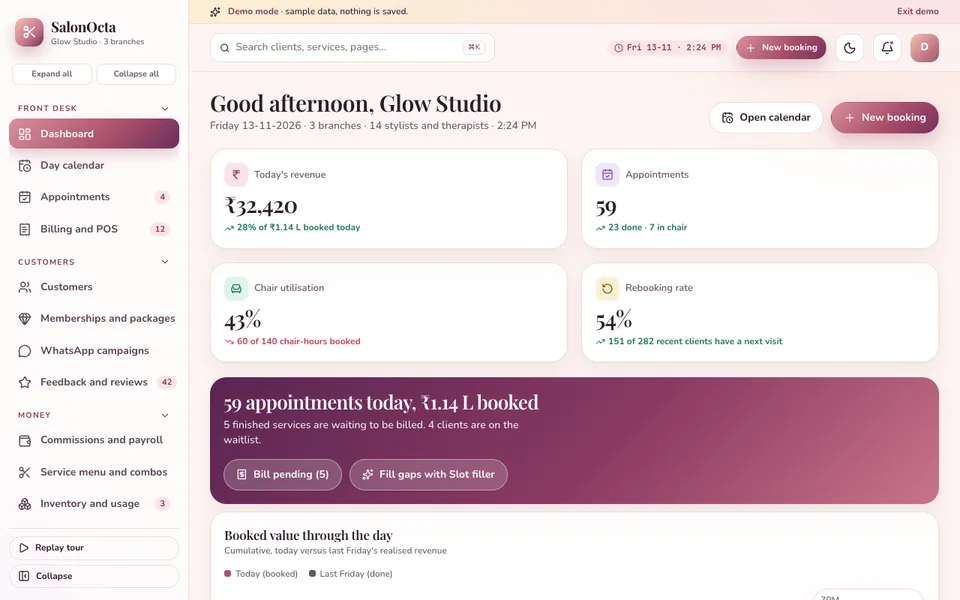
A beauty-specific counterpart. It has a day calendar with one column per stylist and live chair status, memberships and packages, a billing screen with tips and split payment, commission statements per stylist and WhatsApp campaigns. Its best idea is a stylist-by-stylist view that shows gaps and delays a paper diary hides. See the salon software guide or the SalonOcta demo.
Which demo does what? A quick comparison
This table shows where each demo handles the calendar, money, stock and customer contact, taken from what the demos contain. A blank cell means we did not list it.
| Demo | Calendar or board | Payments and billing | Stock or consumables | Customer contact |
|---|---|---|---|---|
| RestaOcta | Order board, reservations | UPI, cash, card, split | Inventory, recipe costing | Loyalty, feedback |
| TiffinOcta | Menu planner, routes | Wallet, plans | Inventory and wastage | Skips and pauses |
| StayOcta | Tape chart | Folios, GST invoice | Guest profiles, reviews | |
| HostelOcta | Bed floor plan | Rent roll, receipts | Rent reminders, notices | |
| TravelOcta | Itinerary builder, departures | Invoices, commissions | Enquiries, client portal | |
| EventOcta | Event calendar, run of show | Budget, milestones | Client portal, RSVP | |
| BookOcta | Staff calendar, waitlist | Payments, invoices | Products | Reminders, campaigns |
| SalonOcta | Stylist columns | Billing, memberships | Inventory | WhatsApp campaigns |
How to try the demos in 15 minutes
Each demo runs in the browser on desktop, tablet and phone layouts, with a sample business and sample data. Nothing you enter is saved, everything resets when you refresh, and the AI-style tools, WhatsApp and payments are simulated, not real models or live services. That makes it safe to click through freely.
- Pick the demo closest to your business, and one neighbour. A salon owner might open SalonOcta and BookOcta.
- On the login screen, choose Try Demo Account.
- Take one booking or order from start to finish: create it, change it, take the advance, close it out.
- Try to break it: book the same room, stylist or seat twice, or change a guest count late.
- Open the reports and ask whether you could run your day from them.
- Note every gap between the demo and your real process. That list is the start of a scope.
Mistakes to avoid and what to ask a builder
The most common mistake is buying for the busy season's wish list rather than the daily friction. Others: forcing staff onto a system they cannot use on a phone, loading messy history before the first week works, and assuming a booking page replaces the reminder routine that stops no-shows. Ask any builder, including us:
- What happens when two staff try to book the same slot at the same moment?
- Can staff use it on a phone during service, and what works without a good connection?
- How are deposits, advances and refunds recorded, and who can change them?
- How do reminders go out, and which messages need my approval?
- Can I export my customer list and bookings if I leave?
- Which of my rules (cutoffs, seasonal rates, tiers) can be set without a developer?
- Is the scope fixed in writing, and what is outside it?
- What do hosting and the domain cost, separately from the build?
If you are also thinking about a customer-facing app, our post on essential features every business app should have is a useful checklist.
Getting a version built around your own business
These eight demos are not products on a shelf. They show what a scoped build for your kind of business could contain, reshaped around your rooms, menu, stylists, tours or event packages. Compare them with the rest of our work on the demo apps hub, or look at Zenocta's production apps on Google Play. When you are ready, tell us how your business runs today and we will reply with a scoped, fixed-price proposal, with hosting and domain billed separately.
Try it live
Open the real thing: demos run in a new tab with sample data, apps link to their own page.
 Live demoRestaOcta live demoBilling, order board with kitchen display, tables, inventory with recipe costing and a phone preview of QR ordering for a sample restaurant.
 Live demoStayOcta live demoTape chart, arrivals and departures, housekeeping, rates and folios for a sample 42-room property.
 Live demoSalonOcta live demoStylist-column day calendar with chair status, memberships, billing and commissions for a sample salon.
- ABrowse allAll demo appsBrowse every interactive demo, grouped by industry.
- ZBrowse allZenocta appsProduction apps live on Google Play.
- TBrowse allTalk about a custom buildDescribe how your business runs and get a scoped, fixed-price proposal.
Frequently asked questions
01What software does a small restaurant, hotel or salon need first?
Start with the booking or order record and a calendar that blocks overlaps. For a restaurant that is billing plus a kitchen order board, for a hotel a tape chart, for a salon a stylist calendar. Reminders, stock and reports can follow once that works.
02How do I reduce no-shows and empty slots?
Combine three controls: a confirmation or advance at booking, an automatic reminder before the slot, and a waitlist that offers freed slots to waiting customers. The demos show all three. Work out the rupee value of your own empty slots first.
03Are these Zenocta hospitality demos products I can buy?
No. They are interactive demos around a sample business. Nothing you enter is saved, data resets on refresh, and the AI-style tools, WhatsApp and payments are simulated. They show what a custom build for your business could contain.
04Should I choose a packaged app or a custom build?
A packaged app suits a standard process. A custom build makes sense when your edge is a rule a standard tool will not model, such as a skip cutoff for tiffin meals, group departure seat meters or seasonal room rates. Write that rule down first.
05How is a custom hospitality app priced?
Price depends on scope, so we do not quote one figure for industry software. Once you describe how your business runs, Zenocta sends a scoped, fixed-price proposal that lists what is included. Hosting and the domain are billed separately.