In this guide
Every team that sells, supports or hires runs on the same fragile thing: a list of people waiting for someone to get back to them. A buyer who asked for a price, a retailer who owes money, a customer with a broken order, a candidate who applied last week. When that list lives in chats, notebooks and personal spreadsheets, the owner finds out about the leak only after the person has gone elsewhere. This guide maps the jobs that software for sales teams, and for the businesses around them, needs to do, helps you choose between a spreadsheet, a ready-made app and a custom build, and walks through six interactive demos so you can see each job in action.
What jobs does software need to do in sales, distribution, support and hiring?
These six businesses look different, but the work underneath is a small set of repeated jobs. Naming them first makes it easier to judge any tool, including a custom one.
- Capture. Every enquiry, order request, ticket or application lands in one place the moment it arrives, with a source.
- Stage. Each record sits in a visible stage (new, contacted, visited, offered, won, lost) so a manager can see where work is stuck.
- Owner and due date. Every record has one person responsible and a next step with a date. Records without a next step are the ones that go cold.
- Conversation history. What was said, on which channel, by whom, so a colleague can pick up without asking the customer to repeat themselves.
- Money and limits. Prices, schemes, credit limits, payment milestones, referral bonuses or service targets that the system checks so a person does not have to remember them.
- Scheduling. Site visits, beat routes, interviews and callbacks placed on a calendar where a clash is flagged before it happens.
- Reporting. A weekly view of volume, speed, conversion and outstanding amounts that comes from the records themselves, not from retyping.
The sector changes the emphasis. A builder cares most about inventory and payment schedules, a distributor about credit and collections, a support desk about response time, a hiring team about scheduling and scorecards. A WhatsApp-first sales team cares about not losing the thread of a chat. Keep that emphasis in mind when you read the demo sections below.
Spreadsheet, ready-made app or custom build: how do you decide?
Most owners start with a spreadsheet and a group chat, and for a very small team that is a sensible start. The question is when to move, and to what. The table compares the three approaches, not any particular product.
| Question | Spreadsheet and chat | Ready-made app | Custom build |
|---|---|---|---|
| Setup effort | An afternoon | Days of configuring fields and stages | A scoping conversation, then a build |
| Fits your own rules (schemes, credit limits, clash checks) | Only through formulas that break | Partly, through settings and workarounds | Built around your rules |
| Follow-up reminders | Depend on one person's memory | Usually built in | Built in, tuned to your stages |
| Several people editing at once | Version confusion | Handled | Handled |
| Fit with how your team already works (WhatsApp, phone-first, local language) | Whatever you improvise | You adapt to the product | The product adapts to you |
| Cost pattern | Free, but staff time hides the cost | Recurring fee that grows with seats | One scoped, fixed-price proposal |
| Main risk | Leaks you never see | Paying for features you will not use | Unclear scope if you skip the planning |
A rule of thumb
Stay on a spreadsheet while one person can hold the whole pipeline in their head and nothing depends on a rule such as a credit limit or a timetable clash. Move to purpose-built software when two or more people touch the same records, or when a mistake costs real money. Consider a custom build when your rules are the business, for example scheme logic or a payment plan that no standard product models cleanly. Our guide on why MSMEs invest in custom software goes through that trade-off in more detail.
The demos at a glance: six sales-side jobs, six demos
Zenocta's demo apps are interactive and need no sign-up. Each one is built around a sample company, so you can react to a realistic screen instead of a feature list. Here is the group, with the one thing each solves best.
Selling property: builders and brokers
EstateOcta, for builders and brokers
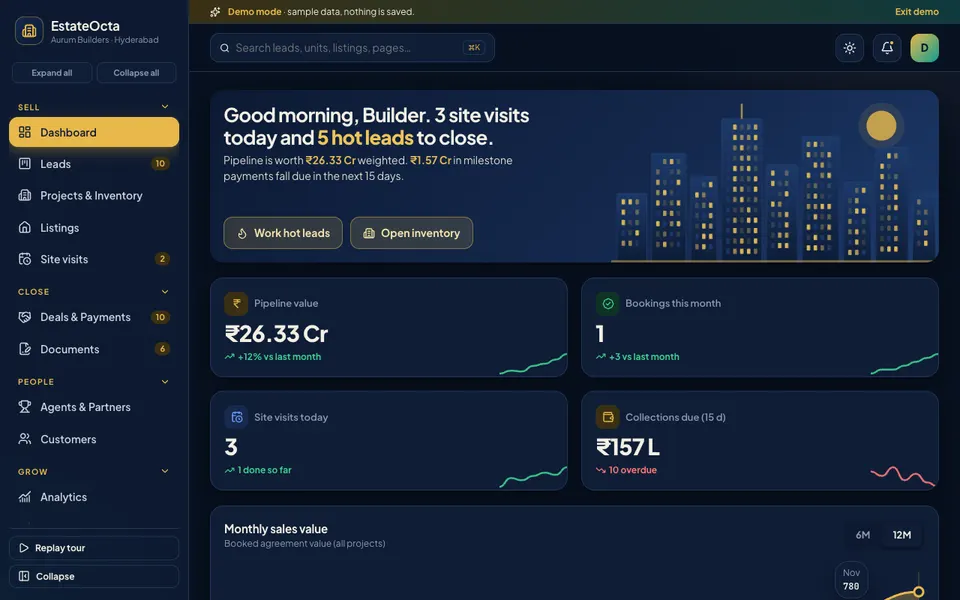
EstateOcta is a real estate CRM for a sample builder. It has a drag-and-drop lead board, a tower inventory grid with a booking drawer holding a cost sheet and payment plan, a week calendar of site visits, a deal pipeline with milestone schedules, and document tracking. It solves one problem best: knowing which unit is available, who is interested and what is due on each booking, without three separate files. Read the deep dive on real estate CRM for builders and brokers, or open the EstateOcta live demo.
Selling through chat: small business sales teams
LeadOcta, for SMB sales teams
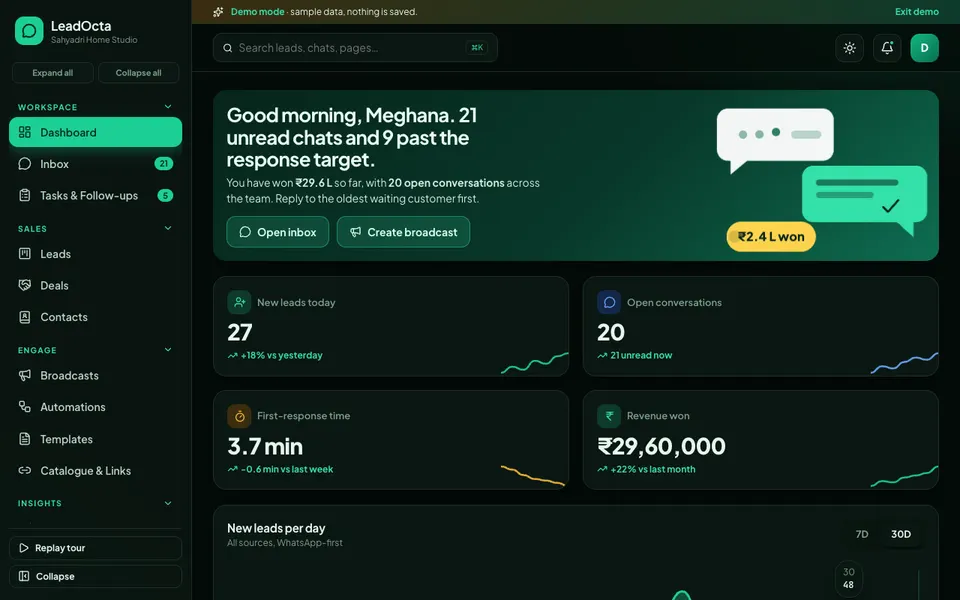
LeadOcta is a chat-first CRM and shared team inbox for a sample workspace. It offers a three-pane inbox with internal notes and assignment, a lead kanban, contacts with segments, broadcasts with a phone preview, a visual automation builder, saved replies, and follow-up tasks with SLA countdowns. It solves the lost conversation: a lead who asked a question in chat is turned into a tracked deal with an owner. See the guide to a WhatsApp CRM for small business sales teams, then try the LeadOcta live demo.
Selling to retailers: distributors and wholesalers
Two demos serve distribution, and the difference is mostly depth of route and credit planning.
DealerOcta, for distributors and wholesalers
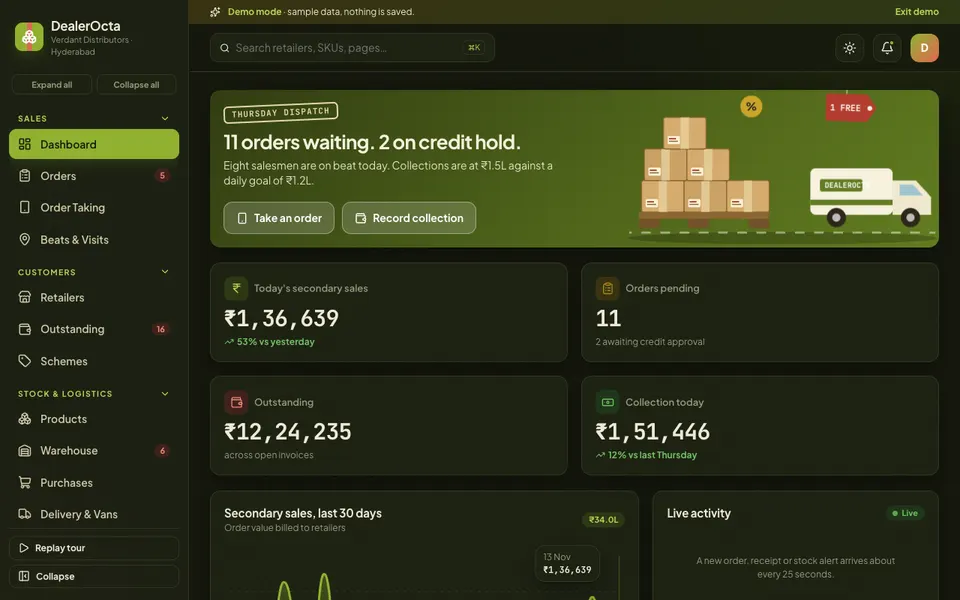
DealerOcta covers salesman order taking on a phone screen, automatic schemes, a credit check, an order pipeline with credit-hold approval, ageing bars for outstanding amounts, a scheme builder with estimated cost and ROI, warehouse and purchase pages, and delivery with van trips. It solves the gap between taking an order and getting paid for it. The deep dive is distributor software for order taking, schemes and outstanding, and the demo is at dealerocta.zenocta.com.
DistriOcta, for FMCG and pharma distributors
DistriOcta puts the beat route board first: shops appear as pins on a stylised map, coloured by credit risk or by outstanding amount, and you can drag a pin to another day. Order taking applies schemes and blocks an order above the credit limit or asks for an override. It also covers GST invoice pages, dispatch, returns and credit notes, bill-wise ageing, batch-wise stock with expiry alerts and purchase from companies. It solves visit planning that respects who already owes you money. Read FMCG distributor software: beat routes and credit control or open the DistriOcta live demo.
Serving customers: support teams
DeskOcta, for support teams
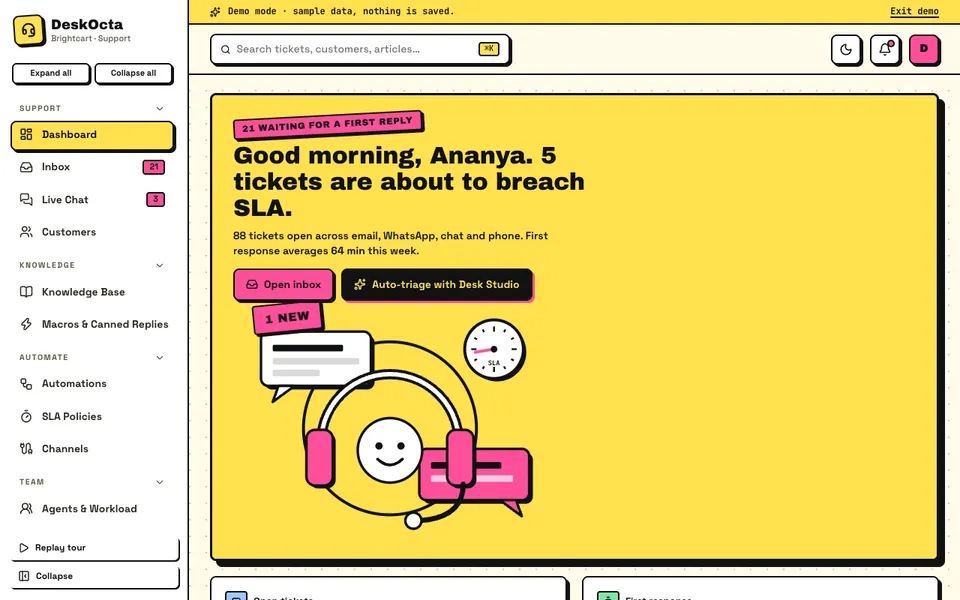
DeskOcta is a helpdesk for a sample online store. It has a ticket inbox with a customer panel, a live chat view, a knowledge base with an editor and a gaps view, macros, an if-then automation builder, SLA policies, agent workload balancing by dragging tickets, CSAT results and four analytics tabs. It solves the unanswered ticket: time targets are visible, so the ones about to breach come first. The guide is helpdesk software for small support teams, and the demo is the DeskOcta live demo.
Hiring: startups and HR teams
HireOcta, for startups and HR teams
HireOcta is an applicant tracking demo for a fictional company. It includes a job list with templates, a drag-and-drop candidate pipeline, an interview calendar with a conflict check and slot suggestions, a resume and radar-chart scorecard view, a talent pool, a referral ledger, a careers page builder with desktop and phone previews, and a mock e-sign offer step. It solves the interview mess: who is meeting which candidate, with what feedback. Read the applicant tracking guide for startups or try the HireOcta live demo.
How do the six demos compare?
The table lists only what each demo's own pages show. A blank cell means the demo does not cover that job, so you can see where a different demo, or a custom build, would fill the gap.
| Demo | Board or pipeline | Scheduling or routes | Money, credit or time limits | Simulated Studio |
|---|---|---|---|---|
| EstateOcta | Lead kanban, deal pipeline | Week calendar of site visits | Milestone schedules, collections due | Deal Studio, 7 tools |
| LeadOcta | Lead kanban, shared inbox | SLA countdowns, won and forecast views | Chat Studio, 7 tools | |
| DealerOcta | Order pipeline | Beat map, visit log, van trips | Credit check, ageing, scheme ROI | Dealer Studio, 7 tools |
| DistriOcta | Beat route board | Pins moved between days and beats | Credit-limit block, bill-wise ageing | Beat Studio, 7 tools |
| DeskOcta | Ticket inbox, workload by agent | SLA policies and targets | Desk Studio, 7 tools | |
| HireOcta | Candidate kanban | Interview calendar with conflict check | Referral bonus ledger | Hire Studio, 7 tools |
Notice that every Studio is labelled simulated. The demos run scripted tools on sample data, and no language model is behind any of them.
How can you try all six demos in 15 minutes?
Use the same short routine on each demo so the comparison is fair. These demos use sample data, nothing you do is saved, the data resets when you refresh the page, and anything called AI is scripted and simulated.
- Open a demo from the demo apps page and press Try Demo Account on the login screen. There is no sign-up.
- Spend two minutes on the dashboard. Ask whether it answers the question you ask every Monday morning.
- Walk one record through its stages: drag a lead, an order, a ticket or a candidate across the board.
- Trigger the rule the demo is built around: a credit limit on an order, a clash on an interview, an SLA warning on a ticket, a booking on a tower unit.
- Open the simulated Studio page and read what each tool says it does. Treat it as a picture of a possible feature, not a working model.
- Write down three things you would change about your own process after seeing it, and one thing the demo lacks.
Fifteen minutes is enough for two or three demos. Pick the ones closest to your work and compare the notes you write.
Mistakes to avoid when buying sales and CRM software
- Buying for the pipeline, ignoring the follow-up. A pretty board does not help if nobody is reminded to act. Check that every record has an owner and a next date.
- Importing messy data on day one. Duplicate phone numbers and half-filled names move straight into the new system. Clean the list before you migrate it.
- Copying the vendor's stages. Your stages should mirror how deals actually move in your business, not a template.
- Skipping the money rules. If credit limits, schemes or payment milestones live in someone's head, write them down before you scope anything.
- No owner for the data. Software does not fix a team that does not update records. Decide who is responsible for each stage.
- Treating simulated AI as a promise. A demo shows what a feature could look like. Ask what a real version would need: data, a model, review and cost.
What should you ask a builder before you commit?
- Which of our own rules (credit limits, schemes, payment plans, SLAs) will be built in, and which will stay manual?
- Can the team use it on a phone, and in the languages they actually work in?
- How does it connect to the chat or email channel our customers already use, and what is real versus a preview in the first version?
- What can we export, and in what format, if we leave?
- Who owns the code and the data, and where will it be hosted? Hosting and domain are billed separately, so ask for that cost clearly.
- What is in scope for the first release, and what is listed for later?
- How will you handle our existing spreadsheets and contacts?
- What happens when something breaks, and who do we call?
If a builder cannot answer these in plain language, the project is not ready to be priced. Our notes on building an MVP without wasting your budget and technology mistakes that kill startups cover the same ground from the founder's side.
Getting a version built around your own workflow
If one of these demos looks close to your business, treat it as a starting point for a conversation, not a finished product. These are demos, not products for sale, and the useful part is that you can point at a screen and say what you would change. Send us a short description of your pipeline, your stages and the one rule you cannot afford to get wrong. We will come back with a scoped, fixed-price proposal. You can start that conversation on the contact page, browse every demo app, or see the production tools on the Zenocta apps page. If you are weighing an automated support agent for a store, our guide to an AI support agent with tool calls, guardrails and human approval explains how that works.
Try it live
Open the real thing: demos run in a new tab with sample data, apps link to their own page.
 Live demoEstateOcta live demoOpen a sample builder: tower inventory grid, lead kanban, site visit calendar, deals, payments and documents.
 Live demoLeadOcta live demoOpen a sample workspace: team inbox, lead kanban, broadcasts, automations, templates and SLA timers.
 Live demoDeskOcta live demoOpen a sample support desk: ticket inbox, live chat, knowledge base, SLA policies, automations and CSAT.
- ABrowse allAll demo appsBrowse every interactive demo, each with a sample company and nothing saved.
- ZBrowse allZenocta appsProduction apps live on Google Play.
- TBrowse allTalk about a custom buildDescribe your pipeline and get a scoped, fixed-price proposal.
Frequently asked questions
01Do I need a CRM, or is a spreadsheet enough?
A spreadsheet is enough while one person can hold the whole pipeline in their head and no rule depends on credit limits or clashes. Once two or more people edit the same records, or a missed follow-up costs real money, purpose-built software pays for itself.
02What is the difference between a CRM, a helpdesk and an applicant tracking system?
All three track people through stages. A CRM tracks buyers toward a sale, a helpdesk tracks customers with a problem toward a resolution within a time target, and an applicant tracking system tracks candidates toward an offer, with interview scheduling and scorecards.
03Should a distributor and a builder use the same kind of software?
The shape is similar (records, stages, follow-up), but the rules differ. A distributor needs order taking, schemes, credit limits and collections. A builder needs unit inventory, cost sheets and payment milestones. Choose software modelled on your money rules, not just the pipeline.
04Are the Zenocta demos real products I can buy?
No. They are interactive demos with a sample company. Nothing is saved, data resets on refresh, and every tool called AI is scripted and simulated. They exist so you can react to a realistic screen and then ask for a custom build.
05How does a custom build get priced?
We scope the workflow with you first: your stages, rules, roles and what is in the first release. You then receive a scoped, fixed-price proposal. Hosting and domain costs are billed separately, so we state them clearly instead of folding them in.