In this guide
Most website projects do not run late because the design is hard. They run late because the content is not ready: the logo is a screenshot, nobody has decided what the About page should say, the photographs are on three phones and the contact details change every week. A website content checklist, filled in before design starts, fixes that. This guide lists what to prepare, what "ready" actually means for each item and how to hand it over, with a printable checklist at the end.
Why should content come before design?
A design built around placeholder text is a guess. Headlines that fit dummy placeholder words break when your real service name is three times longer. A grid built for square photographs fails when your products are tall. A form designed for five fields turns out to need eight once you decide what you really need to know.
Starting with content turns design into a set of decisions instead of a set of assumptions. It also protects the timeline. A focused Zenocta website can go live in as little as 7 days, and the single biggest thing that moves that date is how quickly the content and approvals arrive.
Tip
You do not need perfect content to begin. You need honest content: real wording, real images, real details. Rough but real beats polished but invented, because we can refine the first and we have to throw away the second.
Content readiness at a glance
Use this table to judge where you are. For each row, "ready" has a specific meaning, and most projects discover a typical gap.
| Content item | What "ready" means | The typical gap | Who usually supplies it |
|---|---|---|---|
| Page list | Every page named, with one sentence on its purpose | "We will see as we go" | Owner |
| Page copy | Headline, body and button text written or outlined for each page | Copy exists only for the home page | Owner, with help |
| Logo | Vector file, plus versions for light and dark backgrounds | Only a low-resolution image from WhatsApp | Owner or previous designer |
| Photographs | Original, large files, whole subject in frame, with permission | Screenshots, cropped images, blurry phone photos | Owner or photographer |
| Contact details | Name, address, phone, email, hours and areas served, checked | Two phone numbers and no decision on which to show | Owner |
| Legal pages | Privacy and terms drafted for your actual business and reviewed | Copied text that does not match what you do | Owner and an adviser |
| Testimonials | Real words, with written permission and the name as agreed | Invented or unattributed praise | Customers, through the owner |
| FAQs | Five to ten real questions with honest answers | Questions the owner assumes people ask | Owner and staff |
| Forms and routing | Fields decided, one inbox and one person named, reply time agreed | No one owns the inbox | Owner |
| Domain and hosting | You know who holds the logins, and the details are shared securely | The login belongs to a former developer | Owner |
Pages: decide what the site contains
Start with the pages every business needs, then add only what you can keep accurate.
- Home: who you help, what you do, and one main action.
- About: who is behind the business and why a visitor can trust them.
- Services or products: one page per major offering, or a catalogue with a page per product.
- Contact: every way to reach you, plus the form.
- FAQ: the honest answers to what people ask before they buy.
- Legal: privacy, terms, and a disclaimer where your field needs one.
Then ask of every extra page: do we have the content, and will someone update it? A blog with one post from last year does more harm than no blog. Our post on corporate website vs landing page helps you decide how big to go, and why every business needs a modern website sets out what the basics are for.
Copy: write for the visitor, and never invent facts
You do not need to write like a marketer. You need to write clearly and truthfully.
- Give every page one job and one headline that says what the page is about in the words your customers use.
- Use short paragraphs, plain words and the name of the thing, not an abstraction.
- Say what you do, who it is for, how it works and what to do next, in that order.
- Include only numbers, years, awards and claims you can document. If you cannot prove it, leave it out.
- Write the button text: "Request a quote", "Book a visit", "Ask a question". Vague buttons lose clicks.
- Keep one voice across pages and decide how you refer to yourself: "we", your business name or a person.
If you are short on time, send bullet points and conversations instead of finished prose. Real answers to real questions, even rough ones, are better raw material than text copied from a competitor.
Images and logos: send originals, show them whole
Images carry more of a website than most owners expect, and they are also where small mistakes show most.
- Logo: send a vector file (SVG, PDF or AI) if you have one, otherwise the largest original with a transparent background. Send light and dark versions if you have them.
- Logos are shown in full. A logo should never be cropped or squeezed to fill a box. Tell us the clear space and minimum size you want respected.
- Product and subject photographs: original files, not screenshots or images saved from chat apps, which are compressed. Frame the whole subject.
- Never rely on cropping. A site can show a photograph whole inside its frame; do not send images that have the important part cut off.
- People: real photographs of the real team, taken with their permission. Avoid stock photographs presented as your staff.
- Permission: you should have the right to use every image, including photographs by others and pictures of customers.
- Descriptions: a short plain sentence for each important image, so people who cannot see it still get the point.
- Naming: clear file names and one folder, so nothing gets lost.
Contact and legal details
These are small items with large consequences. Wrong details cost enquiries, and missing legal pages cost trust.
- Business name exactly as you want it shown, and the registered name if it differs.
- One address, one main phone number and one main email address, written the way they should appear everywhere.
- Working hours and the area you serve.
- Any registration or licence details, only if they exist and are current, worded as they should be shown.
- A privacy policy that matches how your forms and any analytics really work.
- Terms for your services or sales, drafted for your business.
- A disclaimer where your field needs one (health, legal and financial content, for example).
Rules about privacy, cookies, consumer information and advertising differ by country and profession. Check the current rules for your situation and have an adviser review your legal text. Zenocta builds the pages; it cannot decide what your obligations are. For the security side of handling enquiries, see small business cybersecurity.
Testimonials: only if they are real
A testimonial is a promise that a real person said these words. Treat it that way.
- Get permission in writing, and agree how the person is named.
- Use the person's actual words. Trim for length, but do not change the meaning.
- Never invent a quote, a name, a star rating or a count of happy customers.
- If you have none yet, leave the section out. An empty or fake testimonial section is worse than none.
- Check the current rules on endorsements in your field and region before publishing.
FAQs: collect the questions people really ask
Your best FAQ comes from your inbox, your phone calls and your messages, not from guesswork. Go through the last twenty enquiries and note every question. Group them, pick the five to ten that come up most and answer each one in two or three honest sentences. Include the awkward ones: price, timelines, what you do not do. Keep answers consistent with your policies, and revisit the list every few months.
Forms and where enquiries go
A form is a promise that someone will answer. Decide the whole route before design: which fields, where the message lands, who owns it, how quickly they reply and what the visitor sees afterwards.
- Keep fields to what you need for a useful first reply: name, a way to reply and the question.
- Choose one inbox and one named person. Add a second person for cover.
- State a reply time you can keep, and show it next to the form.
- Write the confirmation message so it says what happens next.
- Warn people not to send confidential details through a form where that matters.
- Include spam protection, and agree how you will handle messages that slip through.
- Test the form on a real phone and confirm the message arrives.
What we saw on three demo websites
Zenocta's demo websites are fictional businesses with sample content, so none of this is a real company's practice. They are useful because the content choices are visible.
Orrin & Veldmere Advisory, a fictional law firm, keeps a "Read first" group in its footer for disclaimer, privacy, terms and accessibility, and its contact form carries a plain warning not to enter confidential details. Its team section uses anonymous sample roles, labelled as samples, rather than invented people.
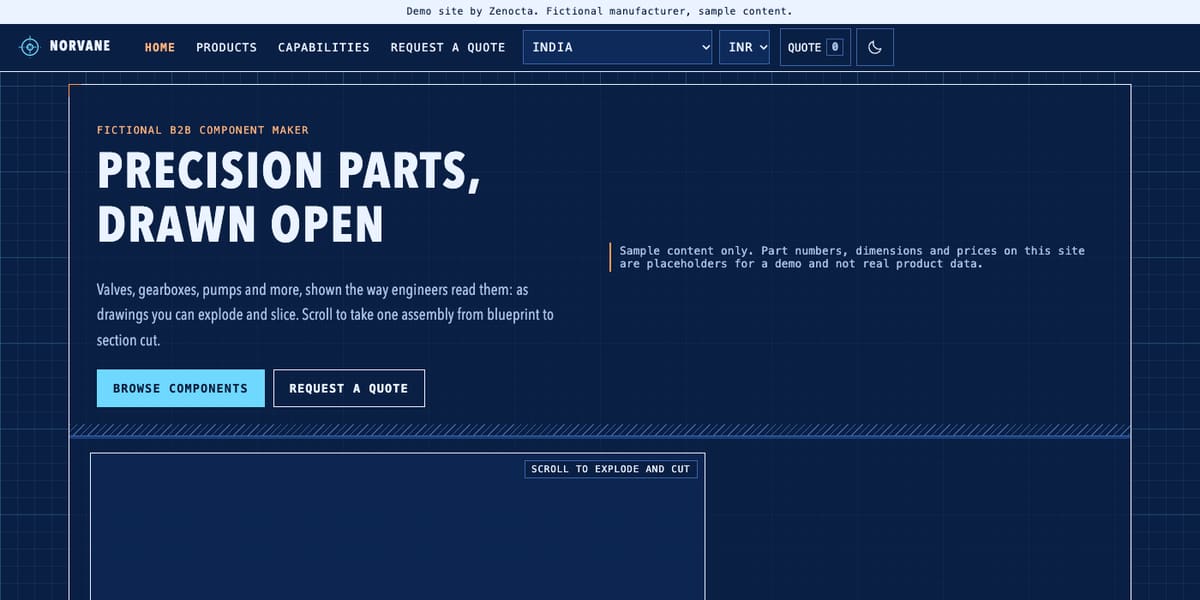
Norvane Components, a fictional manufacturer, shows how forms and downloads depend on content you actually hold. Its quote form collects company, contact name, email, phone, total quantity, a delivery timeframe and notes. Its downloads page says outright that the datasheet entries are placeholders and no file exists behind them. A real site would need those files ready before launch.
Threadwell Atelier, a fictional boutique, has product pages that combine a description, fabric and fit notes, care and shipping and returns wording, each labelled as sample. That is a model for the product information a real boutique should collect for every piece. Browse the rest in the website demo gallery.
How to prepare your content in a week
- Day 1: list the pages. Name each page and write one sentence on its purpose.
- Day 2: gather the facts. Business details, contact, hours, registrations and the people behind the business.
- Day 3: collect images and logos. Originals in one folder, with permissions noted.
- Day 4: draft the copy. Bullet points are fine; mark anything you cannot prove.
- Day 5: FAQs and testimonials. Pull questions from your inbox and ask customers for permission.
- Day 6: forms and legal. Decide the form fields, the inbox and the owner; send legal drafts for review.
- Day 7: hand over. Share the folder, flag the gaps and book the consultation.
Common mistakes
- Waiting for perfect copy instead of sending honest drafts.
- Sending screenshots and chat-app images instead of originals.
- Choosing the form fields and the inbox after the design is finished.
- Copying legal text from another business.
- Publishing testimonials, numbers or awards that cannot be backed up.
- Not knowing who holds the domain or hosting logins.
The printable checklist
Print this page or copy the list below. A project is ready for design when every line is ticked or has an agreed fallback.
- Page list agreed, each page with a one-line purpose.
- Copy or detailed notes for every page, with the main button text written.
- Logo as a vector file, with light and dark versions if available.
- Original photographs of products, places and people, whole subject in frame, with permissions.
- Short plain descriptions for the important images.
- Business name, address, phone, email, hours and areas served, checked and final.
- Registration or licence details only where real, worded as they should appear.
- Privacy, terms and any needed disclaimer drafted and reviewed.
- Testimonials only with written permission, or the section left out.
- Five to ten FAQs taken from real questions.
- Form fields decided, inbox and owner named, reply time agreed, confirmation message written.
- Domain and hosting logins identified, and a secure way to share them agreed.
How to start
Bring whatever you have, even if it is a messy folder and a page of notes. Read how Zenocta works as a website development company, see how pricing works (builds start from ₹8,888 in India and US$99 internationally, depending on pages, features and integrations; domain and hosting are billed separately and stay in your name) and then get in touch.
Try it live
Open the real thing: demos run in a new tab with sample data, apps link to their own page.
 Live demoNorvane Components demoA fictional manufacturer: a quote form with fields and a downloads page that shows what real files you would need.
 Live demoOrrin & Veldmere Advisory demoA fictional law firm: legal pages grouped in the footer and a contact form with a confidentiality warning.
 Live demoThreadwell Atelier demoA fictional boutique: product pages with description, fit, care and shipping and returns notes.
- ABrowse allAll demo websitesBrowse all 48 demo websites by sector.
- WBrowse allWebsite pricingWhat a Zenocta website build covers and how pricing works.
- TBrowse allTalk about your websiteShare your content and get a scoped, fixed-price proposal.
Frequently asked questions
01What content do I need before starting a website?
A page list, copy or notes for each page, a vector logo, original photographs, checked contact details, drafted legal pages, real FAQs, any permitted testimonials and decisions on form fields and where enquiries go.
02What format should my logo and images be in?
Send the logo as a vector file such as SVG or PDF, or the largest original with a transparent background. Send original photographs, not screenshots or chat-app copies, with the whole subject in frame and permission to use them.
03Can I use testimonials if I have none yet?
Leave the section out until you have real ones. Testimonials need the customer's written permission and their actual words. Never invent quotes, names, ratings or customer counts, and check the current rules on endorsements in your field.
04Who should write the website copy?
You know the business, so you supply the facts and the real answers to customers' questions. Bullet points and rough drafts are enough to start. We can help shape the wording, but we will not invent claims or numbers.
05How does late content affect the launch date?
It is the biggest factor. A focused site can go live in as little as 7 days when content and approvals arrive quickly. Gaps in photographs, legal text or decisions on forms push the date back until they are filled.