In this guide
Every website project has two clocks: the time it takes to build, and the time it takes you to get ready for the build. Owners who ask "how long does it take to build a website?" usually mean the first, but it is the second that decides most launch dates. This guide gives a realistic timeline, explains what Zenocta means by "as little as 7 days", shows what makes a project longer, and ends with a week-by-week plan and a checklist so your content is ready when the build starts.
What does "as little as 7 days" actually mean?
Zenocta's pricing, services and website development pages all state that a website can be delivered in as little as 7 days. The wording matters. "As little as" describes the fast end of a range, for a focused site, not every site. The website development page adds the other half of the sentence: larger sites with a blog, a shop or custom features take longer, and the proposal states the timeline before you approve anything.
So treat 7 days as what is possible when the scope is small and the inputs arrive on time. The pricing page lists what moves a timeline: the number of pages, the features, the integrations and the platforms. A proposal turns those into a date for your project. There is no honest universal number, and a vendor who gives one before knowing your scope is guessing.
Two clocks
Build time is mostly in the studio's hands. Readiness time, meaning the delivery of text, photos, decisions and access, is in yours. A site with the same scope can launch in a week or in two months depending on how the second clock runs.
What are the stages of a website project?
Zenocta's how-we-work page describes five steps for any project. For a website they map onto these stages.
- Free consultation. You describe the business, the visitors, the devices they use, your deadlines and the tools you already use.
- Scoped, fixed-price proposal. Within 24 hours you receive the scope, the timeline and one price in writing. No work starts before you approve it.
- Design and prototype. You see the screens and flows early, while changes are still cheap.
- Build and test. The site is built in short cycles and tested on real devices, with progress updates and review checkpoints.
- Launch and improve. The site goes live, with a post-launch support window, and is improved as people use it.
The domain and hosting step runs alongside these. Both are billed separately, they stay in your name and Zenocta helps you set them up. Because they are in your name, the person who owns the account must be available to share access, so settle who that is early.
What makes a website take longer?
Four things account for most of the difference between a one-week launch and a two-month one.
Content readiness
The most common cause of delay by far. A design needs real words and real photos to be judged, and a site cannot launch with placeholders. If the menu, the fee table, the team photos or the product list arrive in week three, the launch moves to week three or later, whatever the build speed.
Number of pages
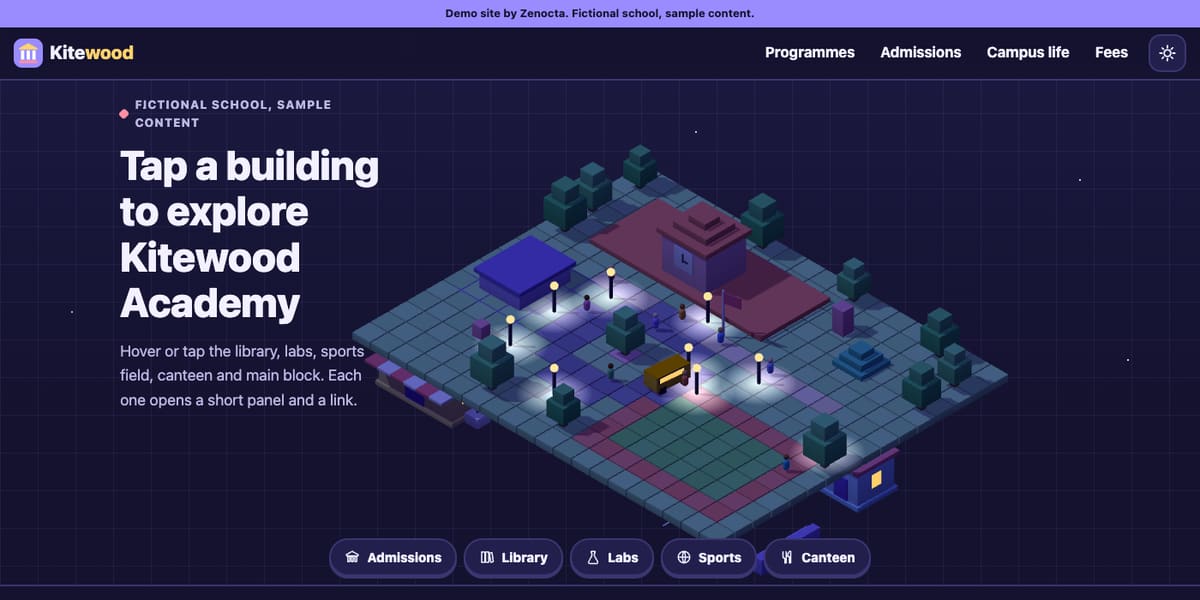
Every page needs layout, checking on several screen sizes and a review. A five-page site and a thirty-page site are different projects. Our demo sites show the range: the Kitewood Academy demo is organised around a few clear areas such as programmes, admissions, campus and fees, while the Dum & Ember demo gives each menu category its own page and its own 3D dish, alongside reservation, catering and ordering pages. These are fictional showcases, not timelines, but they show how structure multiplies work.
Integrations and features
A contact form is quick. A booking flow, a shop with payments, a login area, a link to your messaging or accounting tool or a connection to existing data each add build time and, importantly, testing time. Anything that touches money or personal data deserves careful testing, and that is not a place to rush.
Review rounds
Feedback is a loop: you review, the studio changes, you review again. Each loop takes days. Three people sending three separate lists across three weeks is much slower than one consolidated list sent once. Slow approvals are a clock, too, especially when a clinic, school or company needs sign-off from several people.
Distinctive motion and 3D are a fifth factor on some projects. Custom scenes need to be designed and then tuned so that they stay smooth on mid-range phones. The Tulsi & Tide Retreat demo, for example, has a different 3D scene across many of its pages, and a site with that ambition is scoped with that in mind.
What does a week-by-week plan look like?
The plan below is illustrative. It shows how the stages can be spaced for different scopes so you can sanity-check a proposal. It is not a promise: your proposal states the actual timeline for your site, and everything depends on content and approvals arriving as planned.
| When | Focused site (as little as 7 days) | Medium site with a blog or booking form | Larger site with a shop, integrations or custom features |
|---|---|---|---|
| Before day 1 | Content gathered, decisions made, one approver named | Same, plus a list of integrations and accounts | Same, plus data, product lists and access credentials |
| Week 1 | Consultation, proposal within 24 hours, approval, design preview, build, review, launch | Consultation, proposal, approval, design direction agreed | Consultation, proposal, approval, scope broken into stages |
| Week 2 | Domain, hosting and go-live checks if not already finished | Page build and first working version | Design and prototype of key screens |
| Week 3 | Light fixes and post-launch support | Review round, fixes, form and booking tests | Build of the first stage |
| Weeks 4 to 6 | Optional additions such as a blog | Final checks, domain and hosting, launch | Integrations, testing with real scenarios, review rounds |
| Week 6 and beyond | Improvement as people use the site | Improvement and maintenance | Further stages, launch, post-launch support and improvement |
The Week 1 column assumes everything is ready: a few pages, content in hand and quick answers to every question. If any of that is not true, the same site moves to the middle column. Neither column is better; they are different scopes.
Is your content ready? A checklist
Work through this before the consultation and again before the build starts. Each unticked item is a potential delay.
- The pages you want, listed with a one-line purpose each.
- Text for every page, edited and approved by whoever signs it off.
- Photos in the highest resolution you have, and permission for any that show people.
- Logo files, brand colours and fonts, or a decision to create them.
- Prices, menus, fees, timetables or product lists in editable form, not scanned images.
- Contact details: address, map link, phone, WhatsApp number and an email that is actually checked.
- Policies: privacy, terms, refunds or cancellations, where they apply.
- The names and details of any tools to connect: messaging, payments, booking, accounting.
- Domain and hosting accounts, and the name of the person who can share access.
- One designated point of contact on your side, and a date by which they will answer questions.
Four items on that list echo what Zenocta's how-we-work page says it needs from you: accurate requirements, timely feedback, the necessary access credentials and a designated point of contact. Those are the inputs that keep a schedule on track.
How can you shorten the timeline without cutting corners?
- Launch the core first. A smaller site with the pages that matter now can be live sooner, and a foundation that grows lets you add pages, a blog or a shop later without starting over.
- Use standard layouts for secondary pages. Save custom design for the home page and the pages that sell.
- Supply content on day one. This single habit saves more time than anything else.
- Name one approver. A single decision-maker avoids contradictory feedback.
- Batch your feedback. One consolidated review beats five trickles.
- Defer complex integrations. Launch with a plain form and add the booking tool or shop in a second stage.
- Sort domain and hosting early. Do not leave account access to the last day.
What should you do while the site is being built?
The build is not a waiting room. Your side of the schedule continues, and the work you do now shortens the last days before launch.
- Answer questions the same day where you can. A one-day reply and a one-week reply are the difference between a steady build and a stalled one.
- Check every fact on the preview: names, prices, hours, addresses and phone numbers. Errors found before launch cost minutes; errors found after cost trust.
- Test the preview on your own phone and on a second device, and note anything that is hard to tap or read.
- Plan how you will tell people the site is live: your messaging contacts, social profiles, business listings and email signature.
- Decide who will update the site after launch, and how often, so it does not go stale.
Common timeline mistakes
- Expecting a heavy site at the fast end of the range. If your scope includes a shop, booking, integrations and custom scenes, plan for a longer schedule and ask for stages.
- Starting the build before decisions are made, then changing direction mid-way.
- Treating launch as the finish line. Content updates and improvement continue afterwards, and the how-we-work page lists a post-launch support window and maintenance plans.
- Forgetting that domain, hosting and third-party accounts have their own set-up steps.
- Promising a launch date to customers before the proposal states a timeline.
Speed has benefits, but a rushed site with unchecked prices or broken phone numbers costs more than a week's patience. If page speed matters to your visitors as much as build speed matters to you, read how website speed impacts SEO and customer experience, and for a view on the scale you need, see corporate website versus landing page.
How to get a timeline for your own site
The only reliable timeline is the one in your proposal. Book a free consultation, describe your pages, features and deadline, and you will receive a scoped, fixed-price proposal within 24 hours that states scope, timeline and price. Websites start from ₹8,888 in India and US$99 for international clients, with domain and hosting billed separately. Read the pricing page and how we work for the detail, see what our website development covers, look through the demo websites, and contact us to start.
Try it live
Open the real thing: demos run in a new tab with sample data, apps link to their own page.
 Live demoKitewood Academy demoA focused structure of programmes, admissions, campus and fees, to picture a smaller scope.
 Live demoDum & Ember demoA restaurant demo with a page and a 3D dish per menu category, to picture how pages multiply.
 Live demoTulsi & Tide Retreat demoA wellness demo with different 3D scenes across many pages, to see what a more ambitious scope looks like.
- ABrowse allAll demo websitesWorking demo sites for fictional businesses across ten sectors.
- PBrowse allPricingWebsites from ₹8,888, delivered in as little as 7 days, with a fixed-price proposal within 24 hours.
- GBrowse allGet a timeline for your siteBook a free consultation and get a scoped proposal with a timeline.
Frequently asked questions
01How long does it take to build a website?
A focused site can be delivered in as little as 7 days when content is ready and feedback is quick. Larger sites with a blog, a shop, integrations or custom features take longer, and the proposal states the timeline before you approve any work.
02What usually delays a website launch?
Content that arrives late, such as text, photos, prices and logos, is the most common cause. Next come extra pages, integrations, many separate review rounds, slow approvals and delays in sharing domain or hosting access.
03Can a website really be built in 7 days?
For a focused site with a small number of pages, content in hand and quick feedback, yes, and that is what "as little as 7 days" describes. It is the fast end of the range, not a promise for every scope.
04Does the timeline include domain and hosting setup?
Domain and hosting are billed separately and stay in your name, and Zenocta helps you set them up. Because they are your accounts, share access early so setup does not become the last-minute bottleneck before launch.
05How can I make my website project faster?
Prepare your content before the build, name one approver, send feedback as one consolidated round, launch with the core pages first and defer complex integrations to a second stage. Those habits save more time than rushing the build.