In this guide
An FPO manager with 120 member farmers sells seed and fertiliser on credit in spring, collects produce at harvest, and then has to decide which market will pay the best price after transport. The credit sits in one register, the plots in another, the weigh slips in a third, and today's mandi rate arrives on a phone call. Each record is fine until a farmer asks what he is owed. This guide explains what farm and FPO management software needs to do, from the field plot to the farmer's ledger.
Where do farms, FPOs and mandi traders lose money between field and market?
The chain from field to market is long, and each link keeps its own paper.
- Planning. Which plot has which crop, and what stage it is at, is held in the farmer's head or in a notebook. The FPO cannot say how much produce to expect, or when.
- Inputs on credit. Seed, fertiliser and pesticide are sold against a promise. If the credit register is separate from stock and sales, balances and low stock are discovered late.
- Collection. Produce arrives at several centres, each with its own weighment and grade, and slips are rewritten by hand into a summary.
- Selling. The rate changes daily and varies by market. The best headline price is not always the best price once transport is taken off.
- Settlement. A farmer is owed for produce and owes for inputs, and working out the net amount is a manual calculation that invites disputes.
Software does not grow crops or set prices. It joins these records so that the people running the organisation can answer the farmer's questions in minutes.
What is a field plot record and a crop calendar for?
A plot record says who farms which parcel, how large it is, and which crop is in it. A crop calendar adds time: the stage each plot is in, from sowing through vegetative growth and flowering to harvest. For an FPO, the value is aggregate planning. If plots of one crop reach harvest in the same fortnight, collection centres, transport and storage have to be ready for that fortnight. Seeing plots by stage, by crop and by health on one map turns a vague sense of the season into a schedule.
The calendar and the plot map record what farmers and field staff report. They do not replace the advice of an agronomist or the local extension service, and this guide gives no crop advice. What software can do well is keep the facts in one place: area under each crop, expected yield as entered, and which plots have not been updated.
Tip
Update the plot stage at the same moment a field visit happens, from a phone. A calendar that is updated once a month describes last month.
How do inputs, weigh slips and the farmer ledger connect?
The input shop and credit
An FPO input shop is a small retail business: it sells seed, fertiliser and crop-care products, tracks stock, and often sells on credit to members. A point-of-sale screen with stock, tax and payment mode (cash, UPI or credit to the farmer's account) means every sale is also a ledger entry. Tax on agricultural inputs depends on the item and changes, so check the current rules rather than assuming one rate. For the retail side, see our guide to billing and inventory software for small retailers.
Produce lots and weigh slips
When produce arrives, each delivery is weighed. A weigh slip records the loaded vehicle weight, the empty vehicle weight and the difference. In an invented example, a vehicle weighs 5,840 kg loaded and 2,640 kg empty, so the net produce is 3,200 kg, which is 32 quintals (a quintal is 100 kg). At an invented rate of ₹2,100 per quintal, the lot is worth 32 multiplied by 2,100, which is ₹67,200. A lot board that shows each lot, its centre and its quality grade turns scattered slips into a stock position.
The farmer ledger
The ledger is where both sides meet. If a farmer bought inputs on credit worth ₹18,500 and delivered produce worth ₹64,000, the net payable is 64,000 minus 18,500, which is ₹45,500. A ledger that nets credit against produce automatically, and shows both lines, ends most disputes before they start. It is also a more honest record for the FPO's own accounts.
How do you read mandi prices and choose where to sell?
A mandi price board lists the rate for each crop in each market, usually per quintal. Two ideas make it useful. First, a short history: a 30-day line shows whether today's rate is high or low for the season. Second, a comparison that subtracts transport, because a higher price in a distant market can lose to a lower price nearby.
Here is an invented comparison for a lot of 80 quintals. These are not real market prices.
| Market A (near) | Market B (far) | |
|---|---|---|
| Quoted rate per quintal | ₹2,150 | ₹2,230 |
| Freight per quintal | ₹60 | ₹190 |
| Net rate per quintal | ₹2,090 | ₹2,040 |
| Value of 80 quintals | ₹1,67,200 | ₹1,63,200 |
Market B quotes ₹80 more per quintal, but after freight Market A pays ₹50 more, and the lot earns ₹4,000 more there. A price alert, for example when a crop crosses a rate you chose, is the simple feature that lets a manager sell on the day that suits the FPO. Rates in any software are only as good as their source, so confirm the live rate before you commit a lot.
How do you roll out farm and FPO software in a season?
- Register farmers and land first. Names, villages, plots and areas. This is the base for everything else.
- Add plots and crops for the coming season. Start recording stages as they change.
- Move the input shop. Load the stock, switch sales and credit to the system, and reconcile weekly.
- Prepare collection centres. Set up lots, weigh slips and grades before harvest begins, and train the weighment staff.
- Introduce prices and alerts. Enter or link the markets you actually sell to.
- Settle through the ledger. Use the farmer ledger for the first full settlement and compare with the manual figure.
What should you ask a vendor, and what goes wrong?
Questions to ask
- Does the farmer ledger net input credit against produce and show both lines?
- Can weigh slips record gross, tare and net, and attach the centre and quality grade?
- Where do the prices come from, how often are they updated, and can we enter our own?
- Can the best-market comparison deduct our real transport costs?
- Does stock show low-stock warnings in the input shop?
- Does it work on a phone for field staff, with weak connectivity?
- Can we export members, plots, lots and ledgers in a standard format?
Common mistakes
- Trusting prices blindly. A price board is a guide. Confirm the rate with the buyer before you commit.
- Ignoring freight. Comparing quoted rates alone picks the wrong market often enough to matter.
- Keeping credit outside the ledger. If inputs and produce are in different books, disputes are certain.
- Expecting software to give crop advice. It records and reminds. Agronomy advice comes from your agronomist.
Notebook, spreadsheet or purpose-built software?
| Approach | Works when | Breaks when |
|---|---|---|
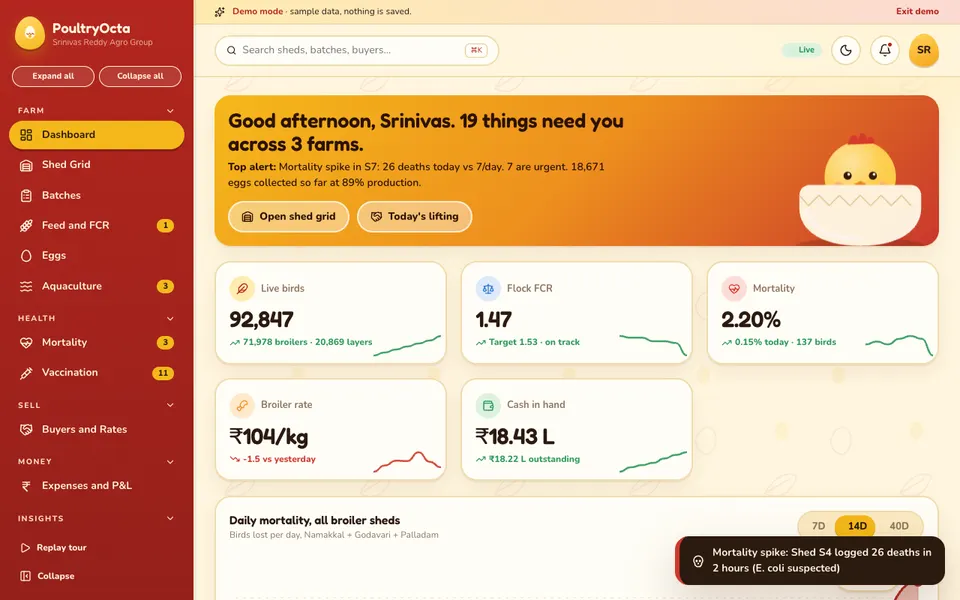
| Registers and notebooks | A small group with one trusted record keeper | Members ask for balances, or lots come from several centres |
| Spreadsheets | One person maintains separate sheets for members, stock and sales | Credit, stock and produce must agree with each other, or several staff edit |
| Purpose-built farm and FPO software | Plots, inputs, lots, prices and ledgers need one joined view | Field staff are not trained, or price sources are not checked |
For a view on a neighbouring sector, our guide to poultry farm management software covers feed, mortality and buyer balances, and our piece on dairy milk collection software shows how quality drives payment.
What the AgriOcta demo shows
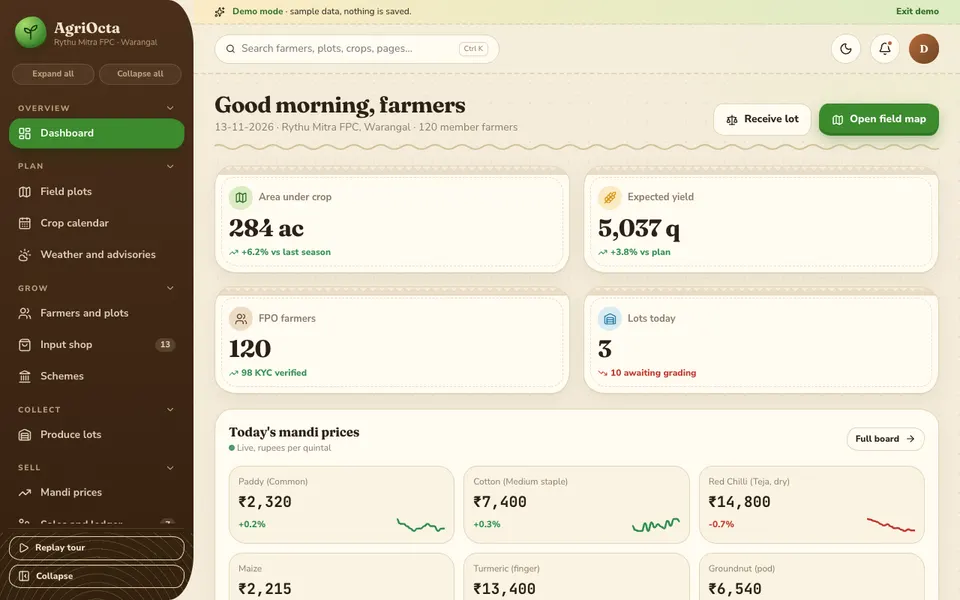
AgriOcta is an interactive demo for farms, FPOs and mandi traders. It follows a made-up FPO. Every figure is sample data, including all prices on the mandi board, nothing you do is saved, and everything resets on refresh. The seven tools in Crop Studio that look like AI are simulated and scripted, not real models, and nothing in the demo is agronomy advice.
The pages, grouped as the demo groups them:
- Dashboard: area under crop, expected yield, farmers and today's lots, with mandi prices ticking below.
- Field plots: a map where each plot is coloured by crop. Switch between stage, crop and crop health, and drag the season scrubber to watch plots move through sowing, vegetative, flowering and harvest.
- Crop calendar, and Weather and advisories: the season's schedule and sample weather information.
- Farmers and plots: a farmers list and land records.
- Input shop: point of sale with GST, a stock view and farmer credit, on cash, UPI or credit.
- Schemes: a scheme list. Check official sources for current scheme details.
- Produce lots: a lot board, collection centres and quality, with weigh-bridge slips.
- Mandi prices: a price board with 30-day sparklines, a best-market compare after freight, and alerts.
- Sales and ledger: sales, the farmer ledger and traders.
- Crop Studio (simulated): a leaf disease detector, yield forecaster, price predictor, irrigation scheduler, input recommender, voice assistant and scheme matcher.
- Reports, and Settings.
How to try it
Open the demo and click Try Demo Account on the login screen. Press Ctrl or Cmd + K for quick search. Start on Field plots and drag the season scrubber, then open Mandi prices and compare markets after freight. Explore the other samples on the demo apps page.
How do you get farm and FPO software built around your operation?
Crops, markets, centres and credit practices differ from one FPO to the next, and so do the questions members ask. A short conversation about your plots, input shop, collection centres and settlement routine is the best starting point. From it we can prepare a scoped, fixed-price proposal for a custom build. Talk to us about a custom build when you are ready, or see what we have published on the apps page.
Try it live
Open the real thing: demos run in a new tab with sample data, apps link to their own page.
 Live demoAgriOcta live demoDrag the season scrubber on the field plots map, run the input shop and compare mandi markets after freight, with sample data.
- ABrowse allAll demo appsBrowse every interactive industry demo with sample data.
- ZBrowse allZenocta appsProduction apps live on Google Play.
- TBrowse allTalk about a custom buildDescribe your plots, centres and ledgers and get a scoped, fixed-price proposal.
Frequently asked questions
01What does farm and FPO management software do?
It joins field plots and crop stages, farmer and land records, an input shop with credit, produce lots with weigh slips, mandi prices, sales and the farmer ledger, so an FPO or trader can plan, collect, sell and settle from one record.
02How does a farmer ledger work?
It records what a farmer owes for inputs bought on credit and what the FPO owes for produce delivered, then nets them. In a made-up example, produce worth ₹64,000 less credit of ₹18,500 leaves ₹45,500 payable, with both lines visible.
03Should I sell in the market with the highest quoted price?
Not always. Compare the net rate after freight, because a higher quote far away can earn less than a lower quote nearby. Also confirm the live rate with the buyer, since any price board is only as good as its source.
04Are the prices in the AgriOcta demo real?
No. The demo uses sample data throughout, including every mandi price. Nothing is saved, it resets on refresh, and the Crop Studio tools are simulated and scripted. It shows what a custom system could look like and gives no agronomy advice.
05How do I get farm or FPO software built for my organisation?
Start with a short conversation about your plots, input shop, collection centres and settlement routine. Zenocta then prepares a scoped, fixed-price proposal for a custom build. Use the contact page to begin.