Free tier
Use the app for free with limited features
Anyone can use Zen Music Player for free, and the free tier stays free. Some features are limited in the free tier; the Google Play listing lists what is included.



Media player · Media and creative
Live on Google PlayZen Music Player — offline music, playlists, albums, artists, and sleep timer.
Ratings come from Google Play and are refreshed when we update the site.

Screen 1 of 8
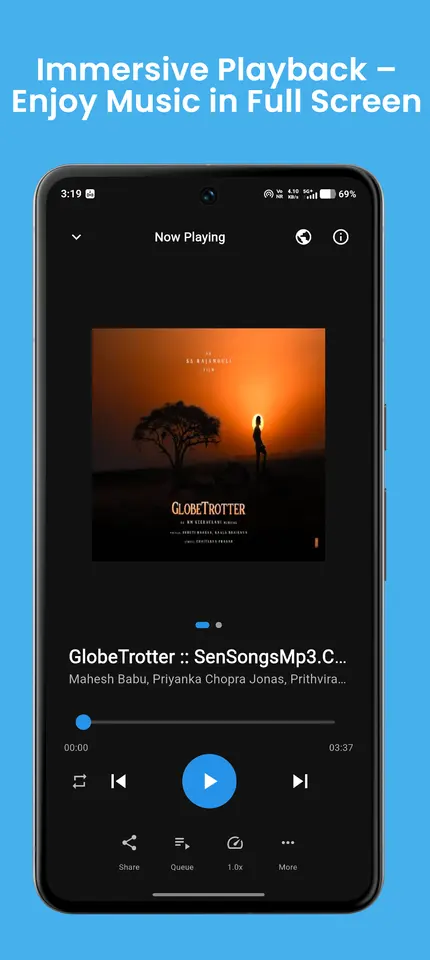
Offline music with playlists, albums, artists and a sleep timer.
Use the arrow keys or the thumbnails to move through the screens.
Swipe sideways to browse the screens.
13 Nov 2025
From the Google Play listing. Latest updates across all apps →
Discover Zen Music Player, the beautifully crafted offline music player designed for users who want complete control over their local music collection. Zen brings together performance, customization, and simplicity into one smooth experience. Whether you enjoy deep-focus music, energetic workouts, long drives, or calming late-night sessions, Zen helps you enjoy your audio library the way it’s meant to be heard.
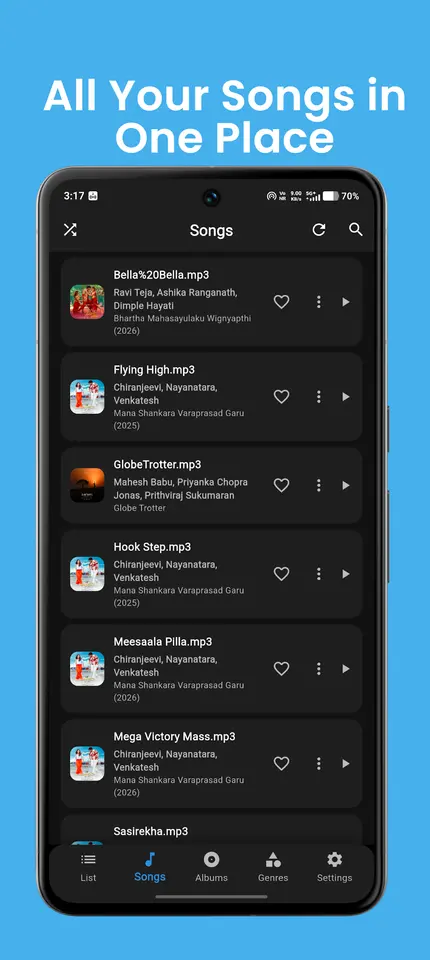
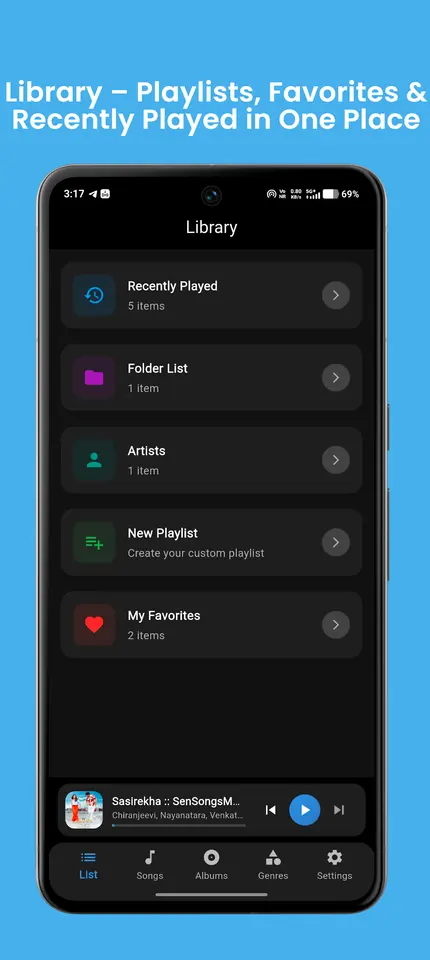
Zen Music Player is fully offline and does not require any account, subscription, or internet connection. It instantly scans your device’s storage, identifies all supported audio formats, and organizes everything neatly into Playlists, Albums, Genres, and Artists tabs. Navigating your library feels natural, fast, and effortless.
⭐ Why Zen Music Player is different
Zen is built with care to give you a clean, distraction-free listening experience. No clutter, no unnecessary features — only what matters for music lovers.
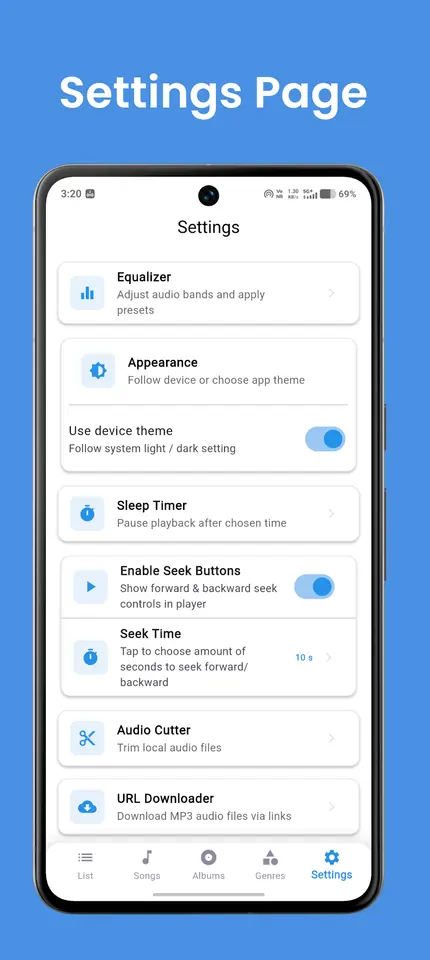
The player is highly optimized so it can handle large music collections smoothly. It offers precise control over audio output through an advanced Equalizer, while also giving you powerful tools like Sleep Timer, light & dark themes, and smart library organization.
Whether you prefer tapping through albums, browsing by genres, shuffling playlists, or searching directly, Zen adapts to your style of listening.
🎧 Key Features
🔹 Offline Music Player
Zen works 100% offline. Simply load your music files onto your device, and the app will instantly detect and organize them. No login, no internet, no streaming subscriptions — just pure offline audio playback.
🔹 Playlists
Create, edit, rename, and manage custom playlists with ease. Add your favorite tracks, reorder them as you like, and switch between playlists instantly. Shuffle, repeat, and continuous play modes are available for convenience.
🔹 Albums Page
Browse your entire music library organized by albums. Zen automatically groups tracks based on their metadata, showing album art, song count, and quick-play options. Perfect for users who love full-album listening.
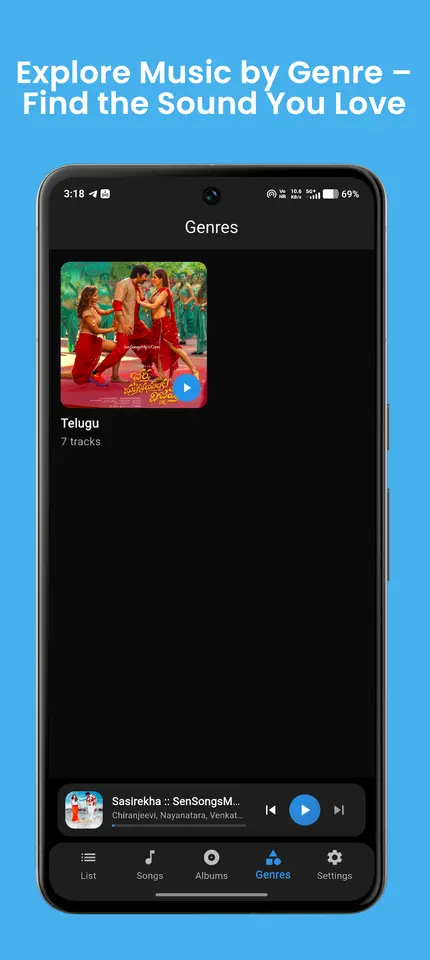
🔹 Genres Page
Explore your music by genres such as Rock, Pop, Classical, Jazz, Hip-Hop, Electronic, and more. Zen intelligently categorizes your tracks and presents them in an easy-to-navigate layout.
🔹 Artists Page
Quickly browse all songs from your favorite artists. Zen organizes your library by artist names and displays songs, albums, and metadata in a clean visual structure.
🔹 Light & Dark Mode
Choose between a bright, clean interface or a modern, immersive dark theme. Zen automatically remembers your choice and switches seamlessly. Great for both daylight listening and night sessions.
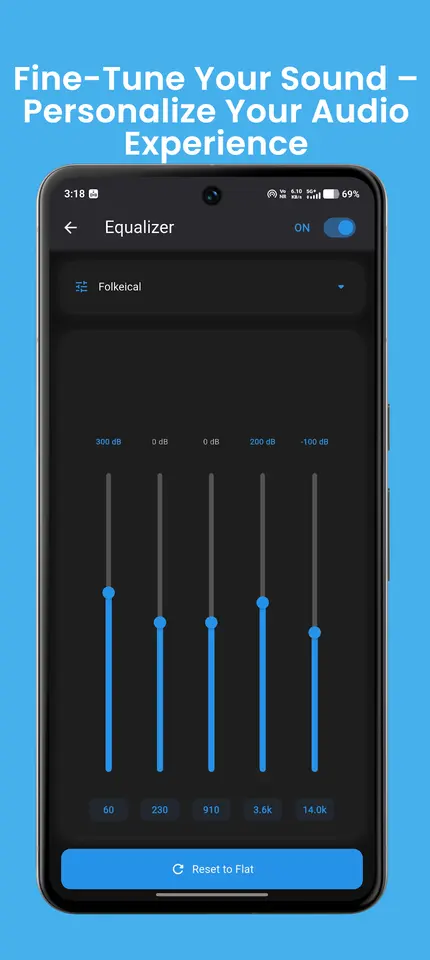
🔹 Powerful Built-in Equalizer
Fine-tune your listening experience with a professional-grade equalizer.
Features include:
5-band customizatio
Bass boost
Treble enhancement
Predefined presets for various genres
Real-time adjustments for perfect sound
Zen gives you the audio control you deserve.
🔹 Sleep Timer
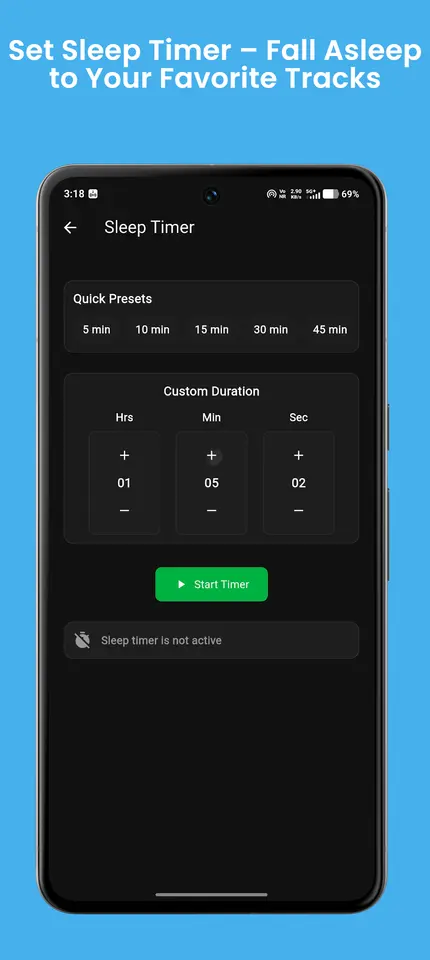
Listening before bed? Set a timer and let Zen automatically stop playback after the chosen duration. Relax, unwind, and fall asleep without worrying about your battery draining.
🔹 Fast, Smooth Performance
Optimized to work seamlessly on all devices — even those with large music libraries. Enjoy instant loading, fast scrolling, and lag-free playback.
🔹 Modern Clean UI
Designed for simplicity and beauty.
Features include:
Animated transitions
High-resolution album artwork
Adaptive colors
Easy access to player controls
Zen gives you a premium feel while staying fast and lightweight.
🎵 Why You’ll Love Zen
✔ No subscriptions
✔ Works completely offline
✔ Lightweight, battery-friendly
✔ Beautiful UI with smooth animations
✔ Highly customizable listening experience
✔ Built for music lovers who want simplicity and power
Whether you’re organizing thousands of songs or just a small personal collection, Zen makes your music library feel alive and easily accessible.
Try Zen Music Player before you decide anything. There are two ways it is free.
Free tier
Anyone can use Zen Music Player for free, and the free tier stays free. Some features are limited in the free tier; the Google Play listing lists what is included.
Premium plan
Unlock the full app at no cost for the first months, then keep using the free tier whenever you like.
Pricing, where to get it, platforms and customisation.
Yes. Zen Music Player has a free tier that anyone can use for free, with limited features. When you start, you also get a free premium plan for up to 3 months that unlocks the full app at no cost for the first months. Some features are limited in the free tier; the Google Play listing lists what is included.
Zen Music Player is live on Google Play.
No. Zen Music Player is an Android app. You can install it from Google Play.
Yes. We can change the name, logo, colours, features and workflow of an existing app, or build something new. Tell us what you need and you will get a scoped, fixed-price proposal within 24 hours.
Write to contact@zenocta.com or message us on WhatsApp. The privacy policy for this app is on our privacy page.
We can change the name, logo, colours and features of an existing app, or build a new one. Book a free consultation and get a fixed-price proposal within 24 hours.