Free tier
Use the app for free with limited features
Anyone can use Payslip Maker for free, and the free tier stays free. Some features are limited in the free tier; the Google Play listing lists what is included.


Payroll and HR · HR and payroll
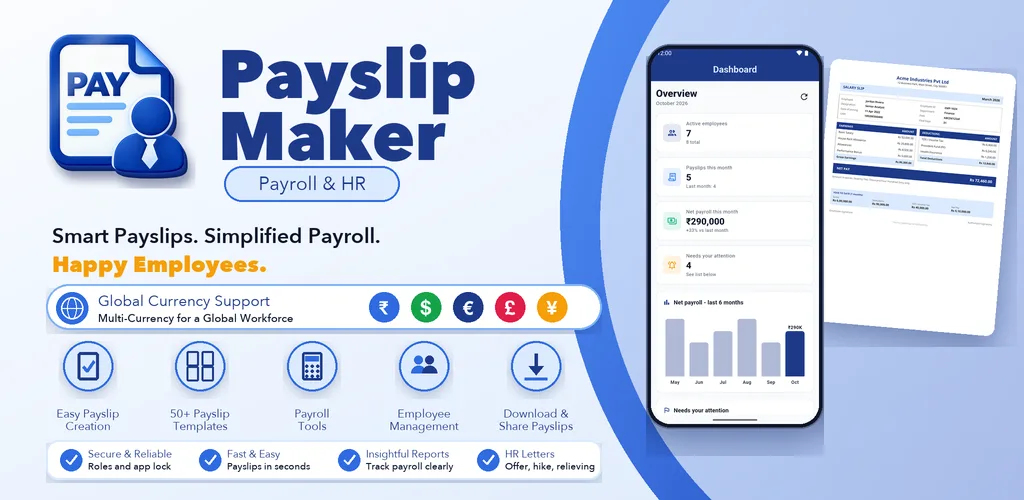
Live on Google PlayMake salary slips & payslip PDFs in seconds. Easy payroll generator
payslipmaker.zenocta.com
Ratings come from Google Play and are refreshed when we update the site.
Screen 1 of 8
Payslip, payroll and HR-document software for organisations of any size. Generate payslips in seconds and keep every employee record in one place, on Android and the web.
Use the arrow keys or the thumbnails to move through the screens.
Swipe sideways to browse the screens.
29 Dec 2025
From the Google Play listing. Latest updates across all apps →
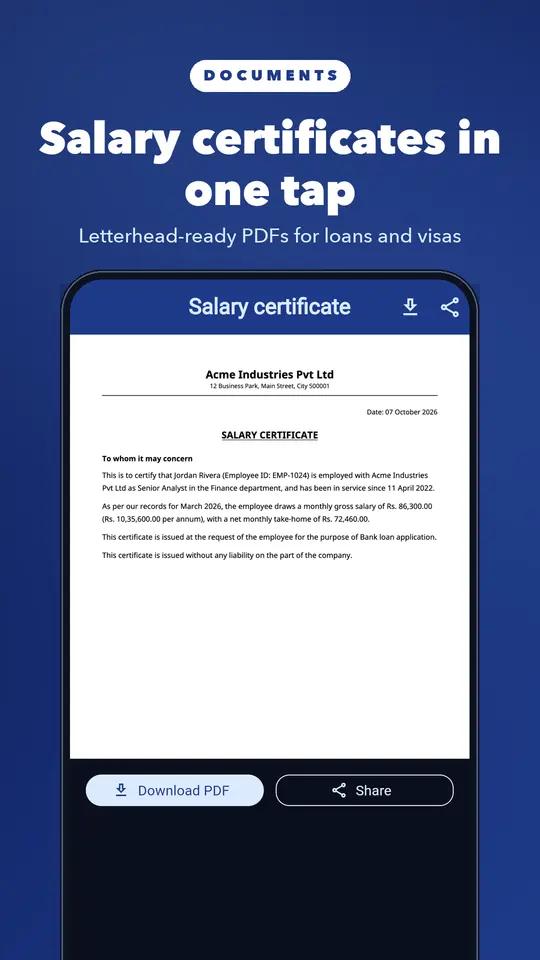
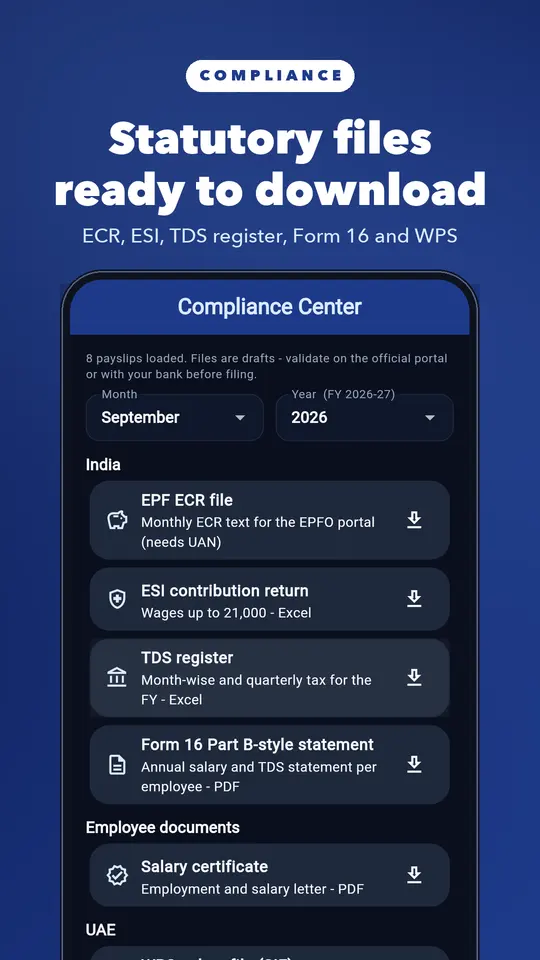
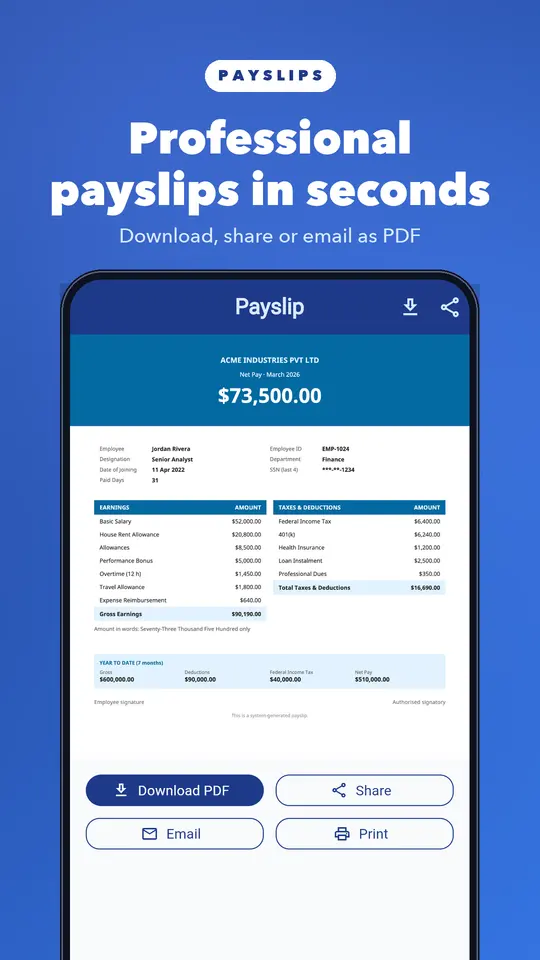
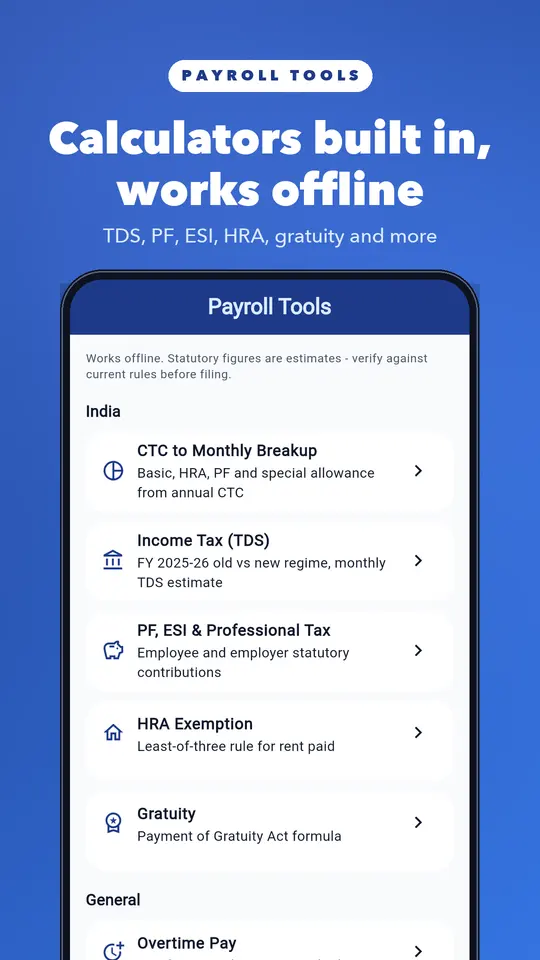
Create professional salary slips in under a minute. Add your company logo, earnings, deductions and PF/ESI, then export a PDF or share on WhatsApp. Works offline. Save employee templates and generate payslips for the whole team each month.
Payslip Maker is built for small and medium-sized Companies, HR teams, and administrators who want a streamlined, secure way to manage employees and produce accurate pay slips in minutes. The app combines an intuitive admin dashboard, full employee management, flexible salary-structure editing, template-driven pay slip generation, and clear analytics — all wrapped in a clean light/dark UI.
Key features
1. Powerful Dashboard & Quick Actions
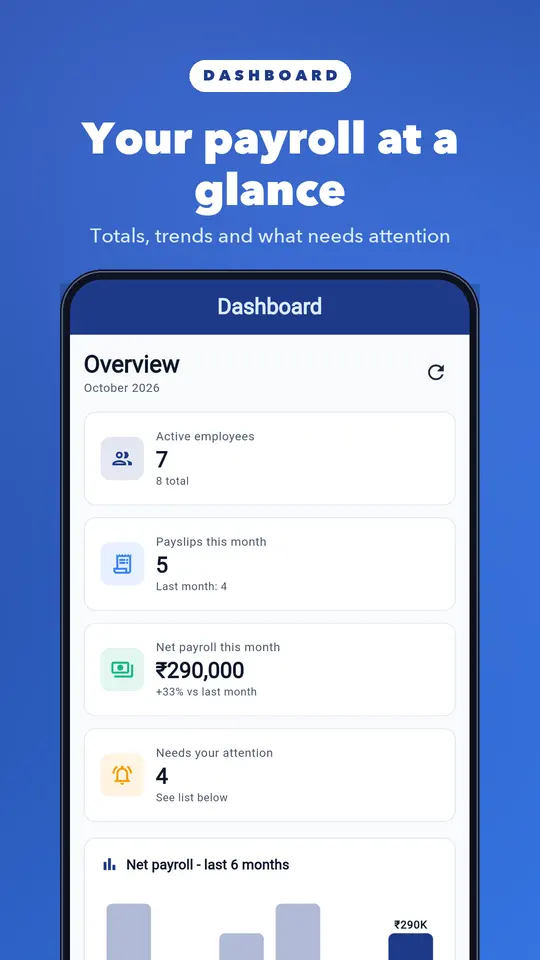
⦁ The Dashboard gives admins instant access to the most important controls.
⦁ Quick actions: create Pay Slip, add employee, bulk import (if enabled), and preview templates.
⦁ Customize template shortcuts so you can jump into template editing or apply a preferred template to a batch.
⦁ Admin management access to create and manage accounts for HR and Accountant roles — define who can create, edit, or only view pay slips.
⦁ At-a-glance alerts: pending pay slips, missing bank details, or employees needing updates.
2. Admin Management (Role-based access)
⦁ Grant roles and responsibilities easily.
⦁ Create admin users who can manage everything.
⦁ Create HR users whose primary responsibility is employee data and pay slip creation.
⦁ Create Accountant users who can view analytics and download pay slips but may be restricted from making some admin-level changes.
⦁ Role-based UI ensures each person sees features appropriate to their duties.
3. Analytics Dashboard
⦁ Make smarter payroll decisions with built-in analytics.
⦁ Monthly cost overview so you can track payroll spend for any selected month.
⦁ Department-wise cost breakdown to identify where budgets are going.
⦁ Exportable summaries for reports or board meetings.
⦁ Filter by date ranges and departments to drill into the numbers you need.
4. Full Employee Management
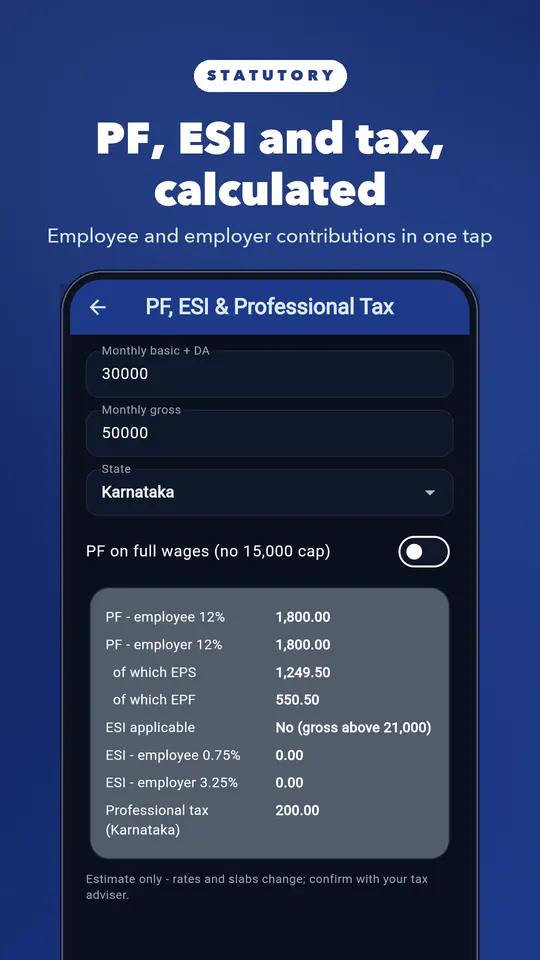
⦁ Add new employees quickly with essential details: name, employee ID, department, email, bank details, PAN, UAN, join date, and status.
⦁ Edit employee records to keep data accurate over time.
⦁ Delete or archive employees when they leave.
⦁ Store bank details securely for pay slip downloads and direct communication.
5. Salary Structure Page
⦁ Flexible salary setup and editing.
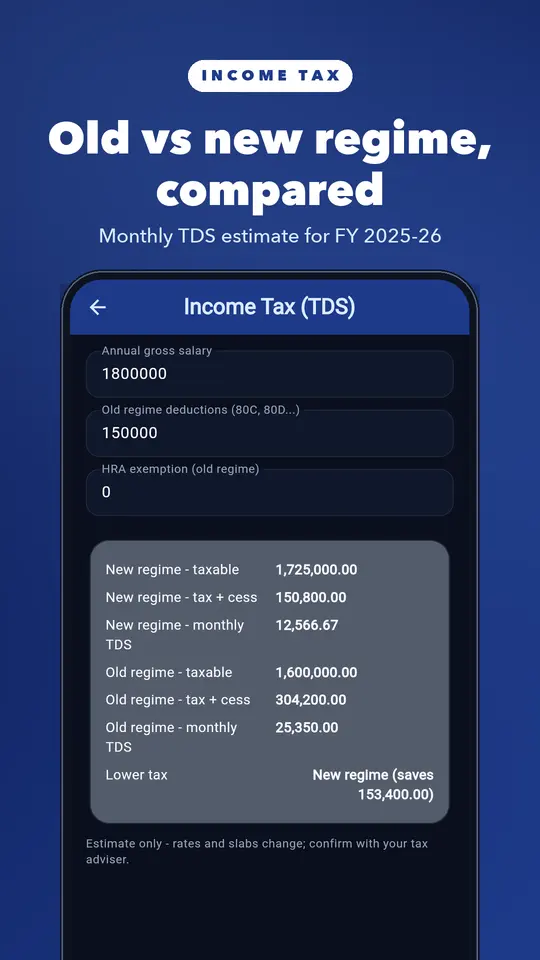
⦁ Define a salary structure for each employee: Basic, HRA, Allowances, PF, Income Tax, and custom components.
⦁ Toggle components on or off depending on the employee or payroll rules.
⦁ Auto-calculate gross and net pay based on the breakdown.
⦁ Save templates for common salary structures to apply across departments.
6. Pay slip Screen (Create & Generate)
⦁ Create pay slips with confidence:
⦁ HR and Admin can generate pay slips for single employees or selected groups.
⦁ Review final pay slip preview before download or email.
⦁ Add notes or remarks on a pay slip for record-keeping.
⦁ Supports downloading pay slips as PDF and emailing them directly to employees.
7. Template Page (Select & Customize)
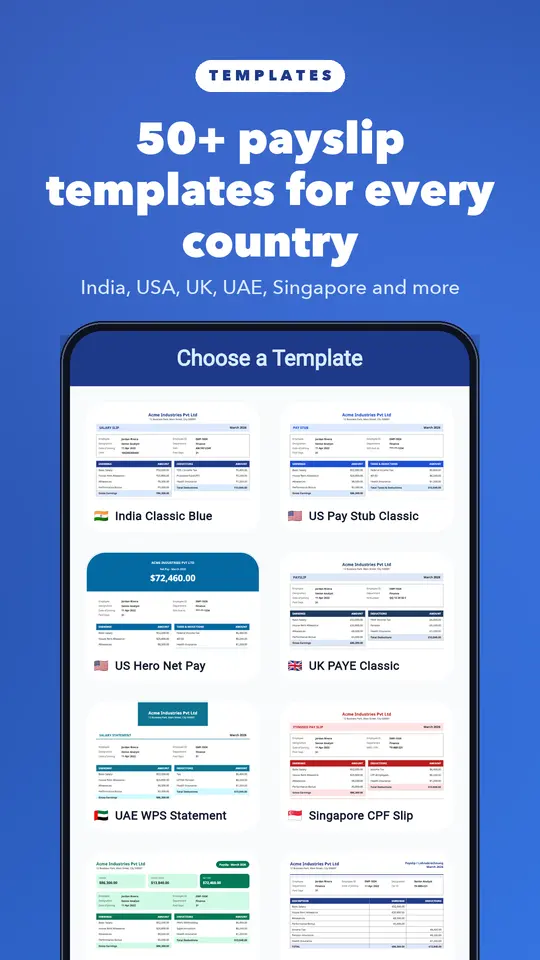
⦁ Professional pay slip templates that match your brand.
⦁ Select from multiple templates (standard and premium options available).
⦁ Customize templates: add or remove fields, update header/footer, and adjust layout for your payroll needs.
⦁ Save custom templates and maintain a history of changes (Customize Template History).
8. Pay slip History
All pay slips stored in one place:
⦁ View and search previously generated pay slips by employee, month, or department.
⦁ Download or re-send older pay slips.
⦁ Maintain an auditable trail for compliance and employee requests.
9. About Page & Support
⦁ Transparent app information.
⦁ View app version, legal notes, and developer contact details.
⦁ Quick access to support options for premium inquiries or troubleshooting.
Keywords: salary slip maker, pay stub generator, salary certificate, HR payroll app
Try Payslip Maker before you decide anything. There are two ways it is free.
Free tier
Anyone can use Payslip Maker for free, and the free tier stays free. Some features are limited in the free tier; the Google Play listing lists what is included.
Premium plan
Unlock the full app at no cost for the first months, then keep using the free tier whenever you like.
Pricing, where to get it, platforms and customisation.
Yes. Payslip Maker has a free tier that anyone can use for free, with limited features. When you start, you also get a free premium plan for up to 3 months that unlocks the full app at no cost for the first months. Some features are limited in the free tier; the Google Play listing lists what is included.
Payslip Maker is live on Google Play and also runs in your browser at payslipmaker.zenocta.com.
Yes. Open payslipmaker.zenocta.com in any browser. The Android app is on Google Play.
Yes. We can change the name, logo, colours, features and workflow of an existing app, or build something new. Tell us what you need and you will get a scoped, fixed-price proposal within 24 hours.
Write to contact@zenocta.com or message us on WhatsApp. The privacy policy for this app is on our privacy page.
We can change the name, logo, colours and features of an existing app, or build a new one. Book a free consultation and get a fixed-price proposal within 24 hours.